TOP › My Page TOP ›
Submission Workflow › Technical Guides / Submission Tips ›
How to Open Existing Projects Using the VRChat Creator Companion
How to Open Existing Projects Using the VRChat Creator Companion
By using the VRChat Creator Companion, existing projects can be opened with compatibility on the current environment. Below are the steps on how to open existing projects.
*Please install Unity and Unity Hub beforehand.
- Add the existing project by selecting
Add Existing Project, located under the "Create New Project" pulldown on the top right.
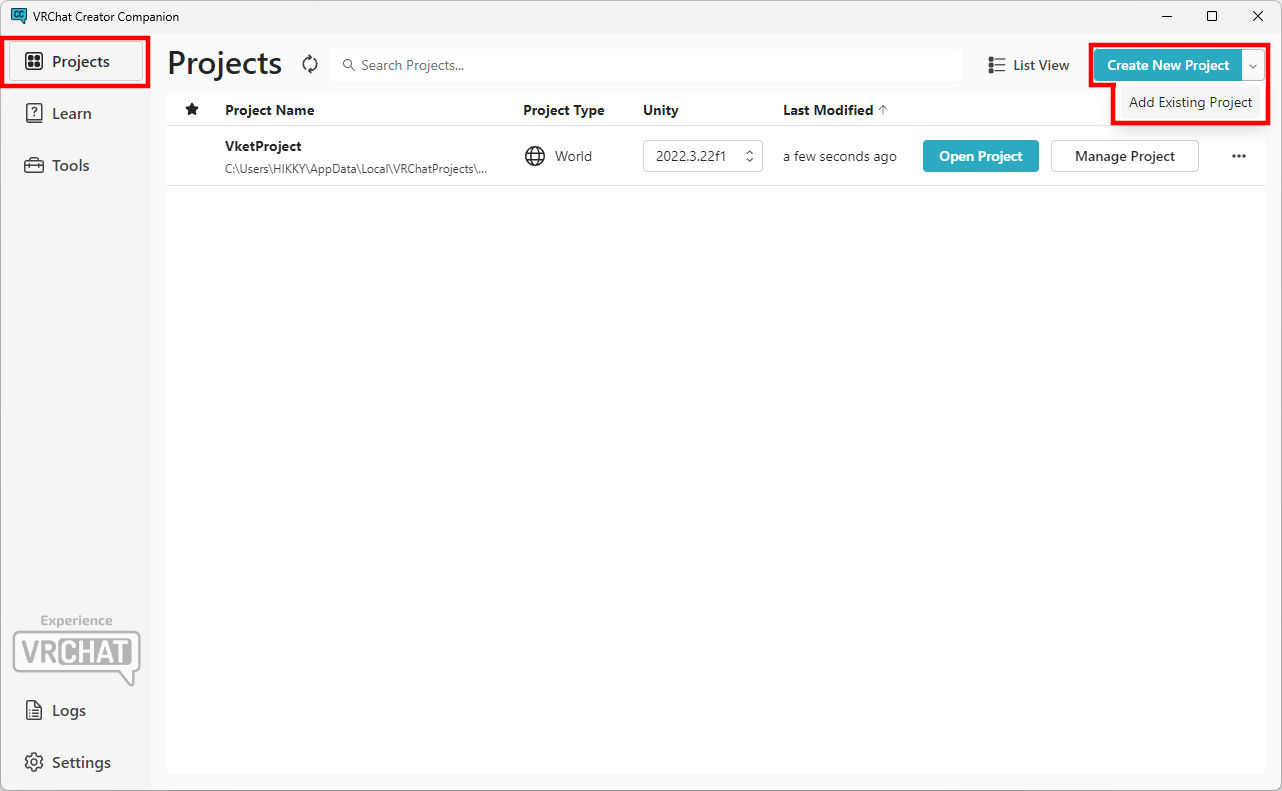
- The project will be added to the Projects page of the VRChat Creator Companion.
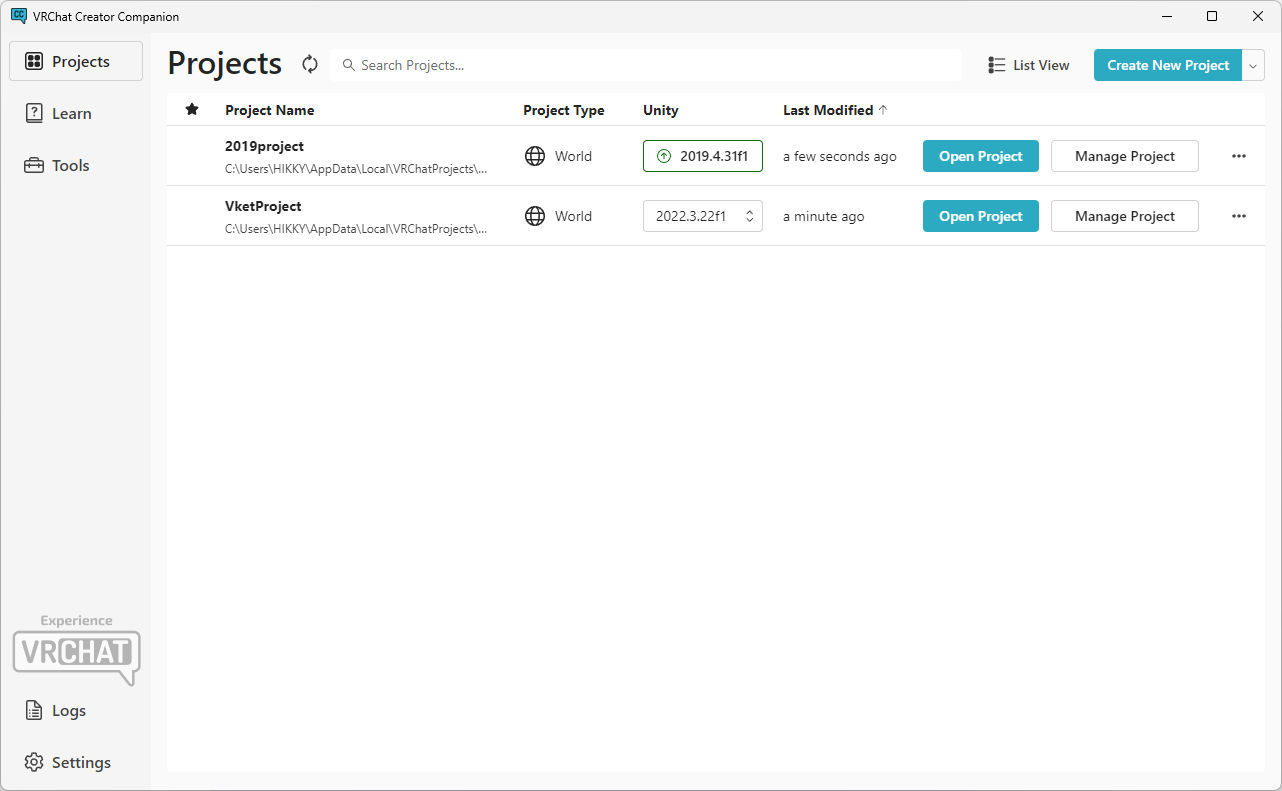
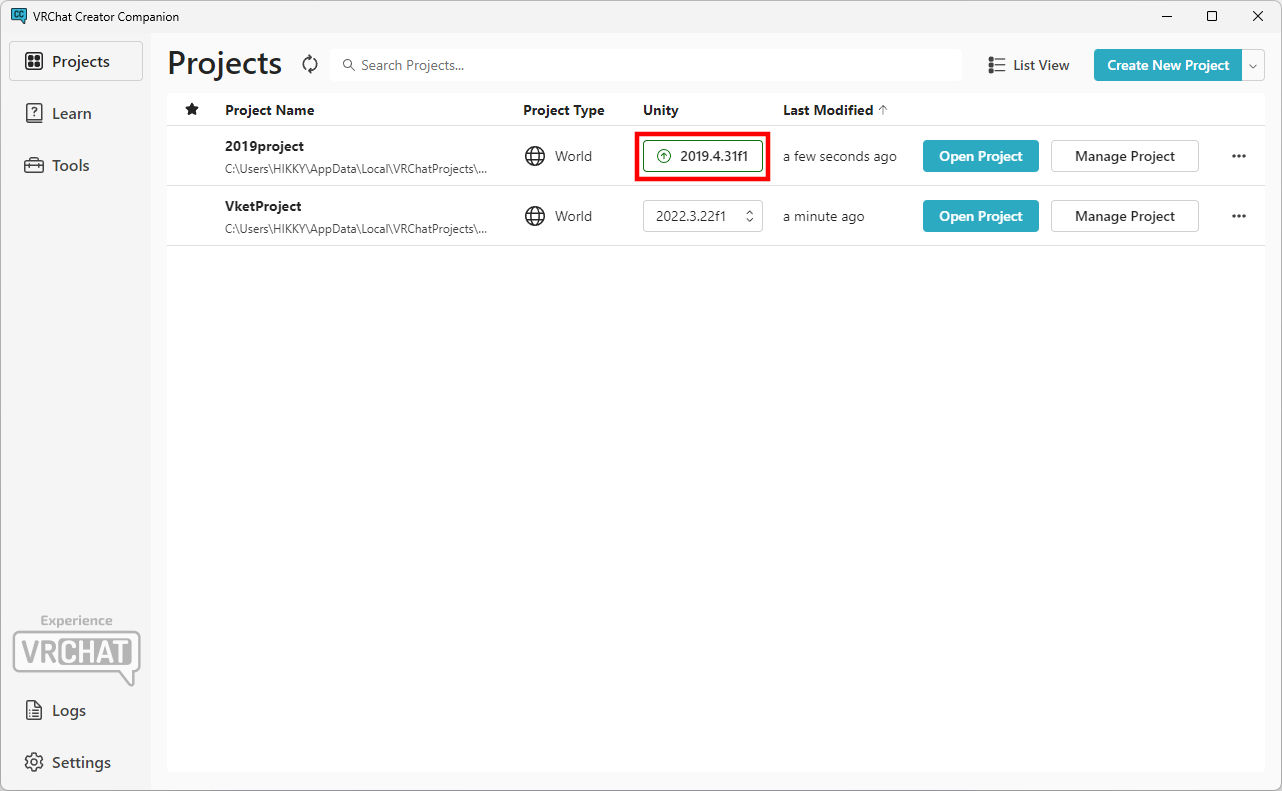
- If the version of Unity used in your project is old, you will need to change the version.
From the project list screen, press the
Unity column button of the project.
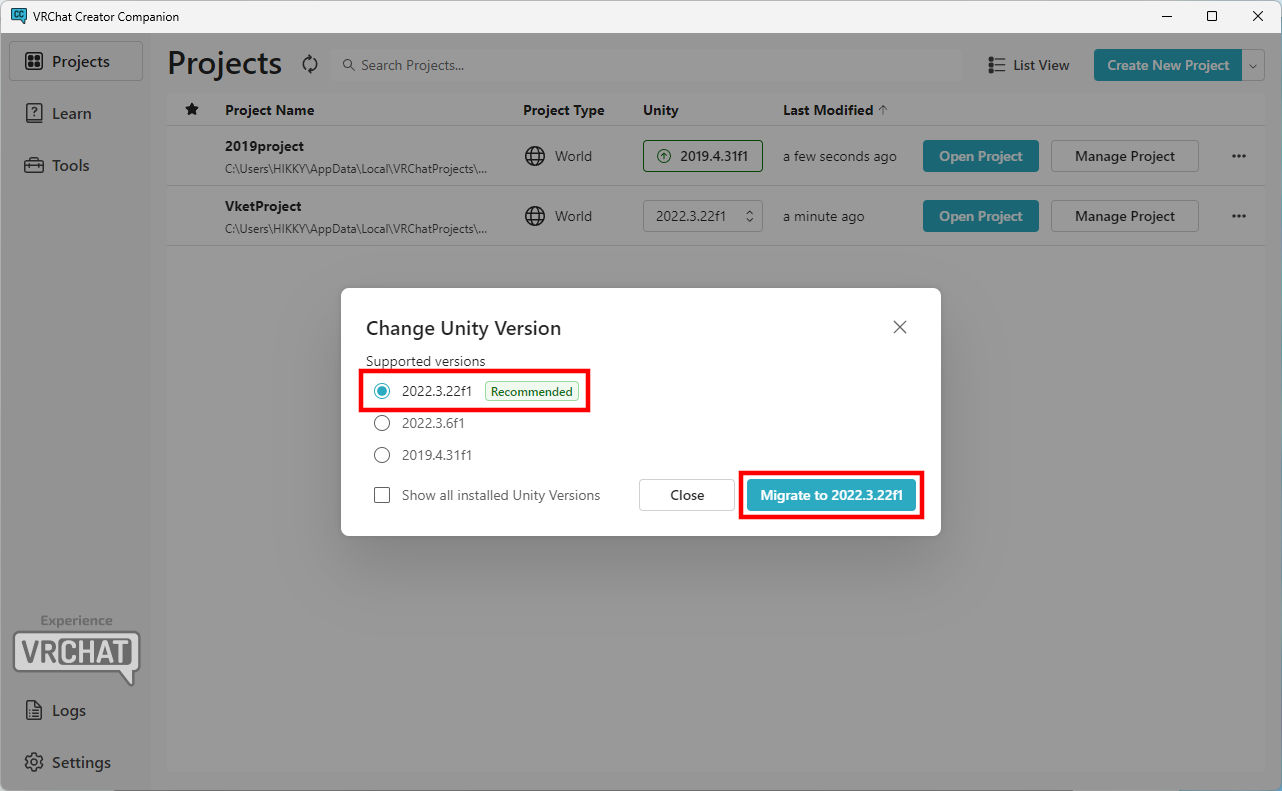
- On the
Change Unity Version window, select 2022.3.22f1 and then press Migrate to 2022.3.22f1.
- In the
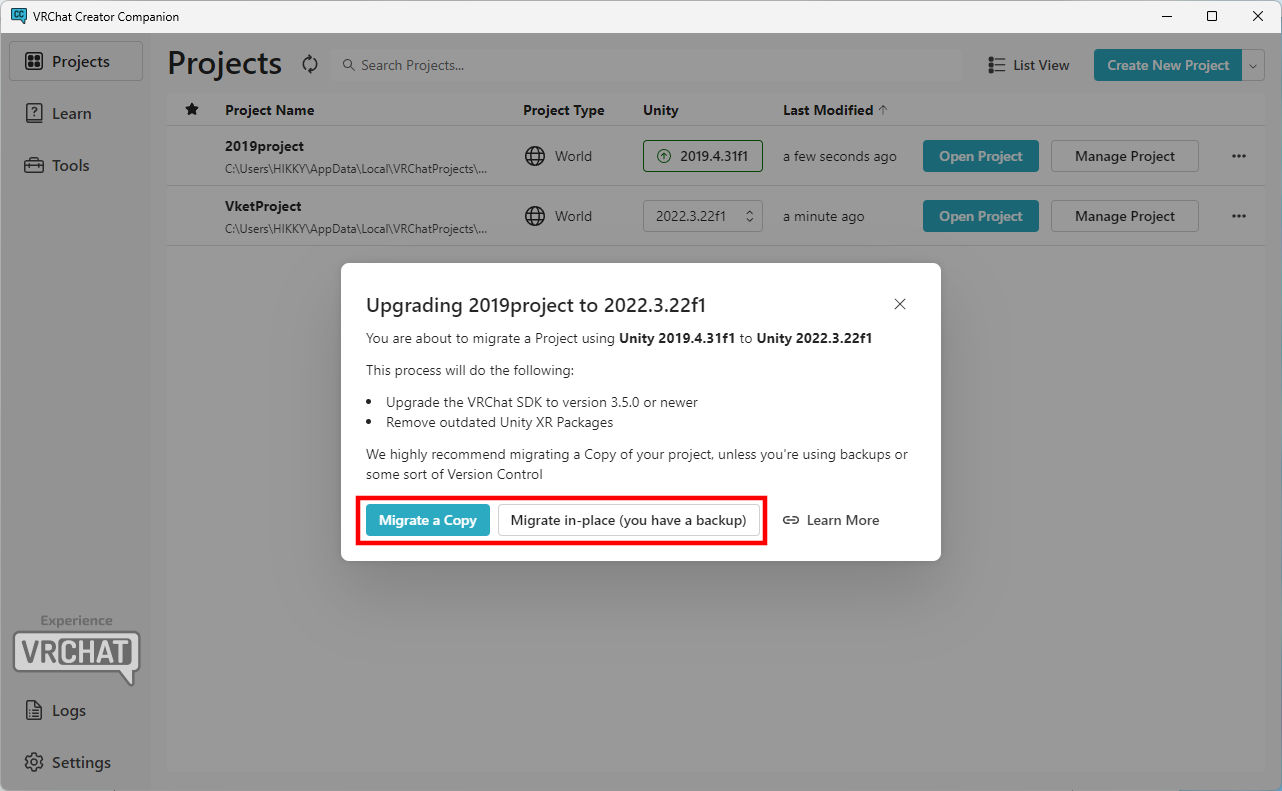
Upgrading 2019version to 2022.3.22f1 window, press Migrate a Copy to create a backup of the project at the same time. If you have already done backup, press Migrate in-place(you have a backup).
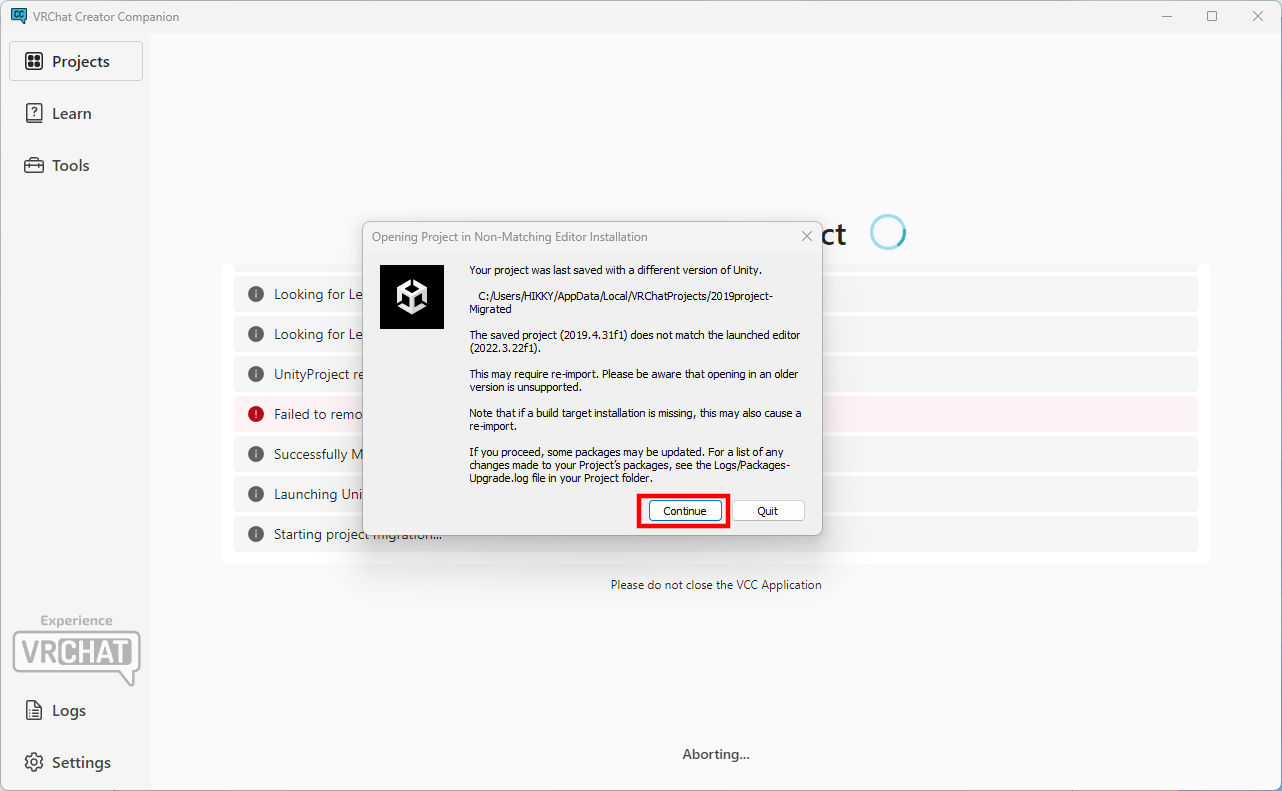
- During the migration, the "Opening Project in Non-Matching Editor Installation" window will appear. Press
Continue to open the project.
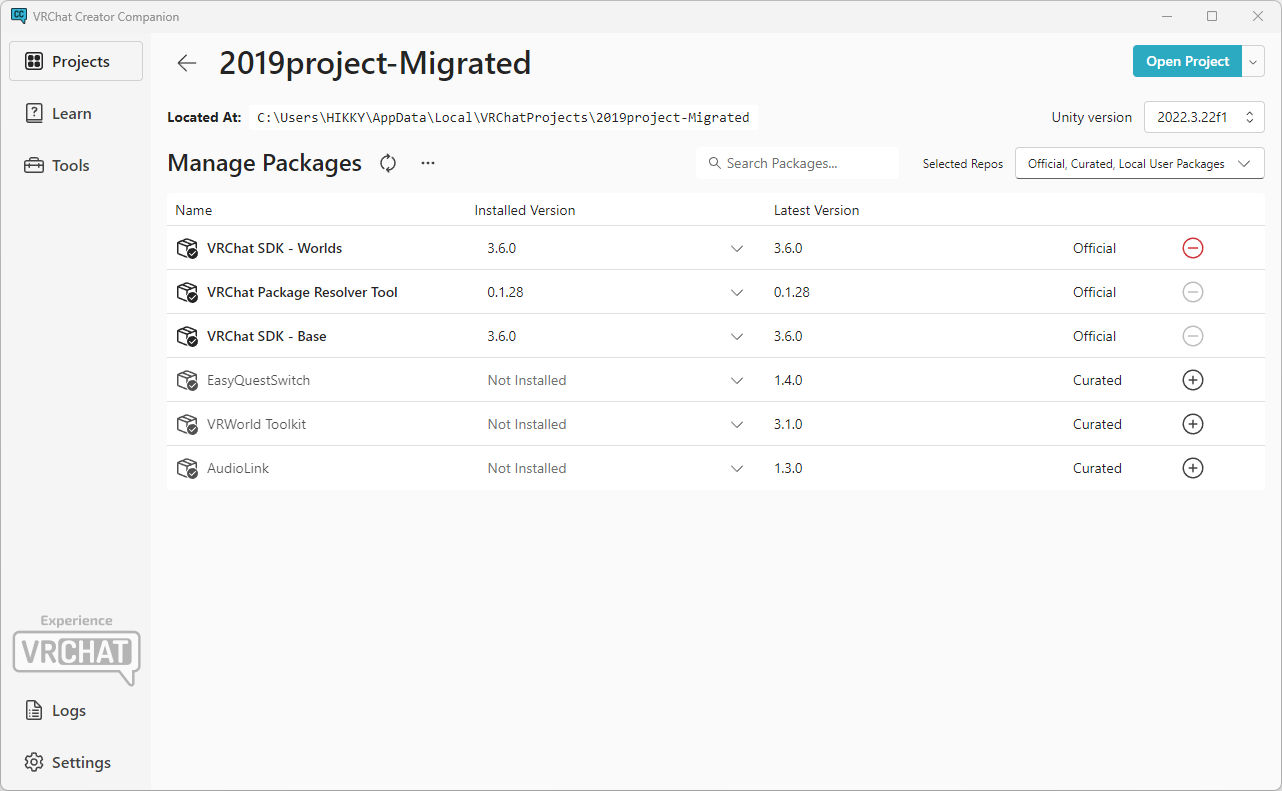
- The list of packages installed in the project will appear.
Please note that if you have migrated from a previous project, you may need newer versions of the packages.
Be sure to read the submission rules and install the required components.
Click here for Submission Rules
*Function compatibility is not guaranteed on older projects. Projects may not work properly if unnecessary codes, components, etc. exists in the project.
↑ Back to Top