TOP › My Page TOP ›
Submission Workflow › Vket Official Assets › Vket 2026 Winter ›
VketZoocadiaItem
VketZoocadiaItem
The Zoocadiaverse offers an experience where exhibits with this component attached are added to the Creature Encyclopedia when visitors take photos of them in the world.
- Attach this component to the object you want to include in the Creature Encyclopedia.
- This component can be used for Space Exhibitions and Item Exhibitions in The Zoocadiaverse.
- Please note that this cannot be used for submissions via
Vket Booth Maker.
- Please understand that
not all exhibits can be used. - Only the visual appearance of the exhibit's model is included in the Creature Encyclopedia. Gimmicks such as animations triggered by Pickup or Use will not function in the encyclopedia. Gimmicks of the exhibits placed in your space will work as usual.
- When included in the Creature Encyclopedia, the scale of the 3D model may be adjusted by Vket staff in consideration of visitor experience. The size of the exhibits placed in your space will not change.
- Exhibits with this component attached remain placed in your space and are photographed by visitors. If an exhibit is hidden, it cannot be photographed and will not work with the Creature Encyclopedia gimmick.
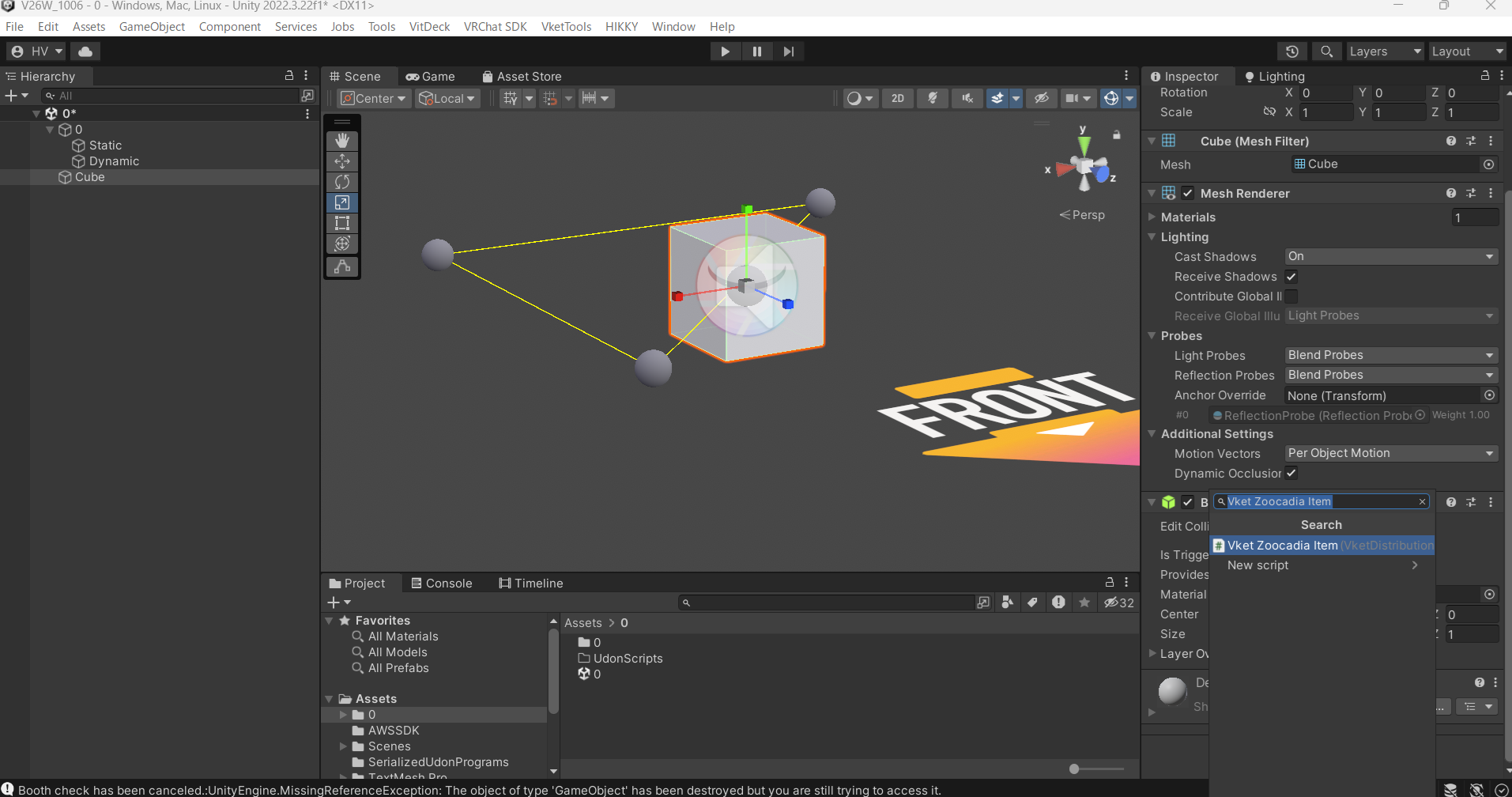
- Select the object you want to include in the Creature Encyclopedia in the Hierarchy, and search for
Vket Zoocadia Item in the Inspector's Add Component menu to attach it.
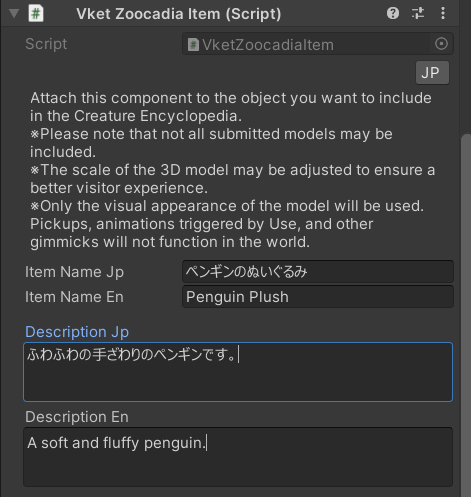
- Enter the Japanese name of the exhibit in
Item Name Jp. (Up to 40 half-width or 20 full-width characters) - Enter the English name of the exhibit in
Item Name En. (Up to 40 half-width or 20 full-width characters) - Enter the Japanese description of the exhibit in
Description Jp. (Up to 288 half-width or 144 full-width characters) Line breaks cannot be used. - Enter the English description of the exhibit in
Description En. (Up to 288 half-width or 144 full-width characters) Line breaks cannot be used.
↑ Back to Top