TOP › My Page TOP ›
Submission Workflow › Technical Guides / Submission Tips ›
SkinnedMeshBaker (SkinnedMesh to static MeshRenderer converter)
SkinnedMeshBaker (SkinnedMesh to static MeshRenderer converter)
This tool converts SkinnedMeshRenderer to MeshRenderer while maintaining its pose.
Since the MeshRenderer has significantly less rendering cost, it is recommended to convert any meshes that don't use bones for animation.
As an added positive side-effect, it protects the model data from being ripped from the world data. ^1
Note that this tool is a bug-fixed / republished version of the one we have published during Vket 2 and 3 under the name "AvatarPoseBaker".
- Download the
SkinnedMeshBaker.zip file from the link above. - Unzip the downloaded
SkinnedMeshBaker.zip file, by selecting Extract All on the explorer's right click menu.

- Import the package to your Unity project.
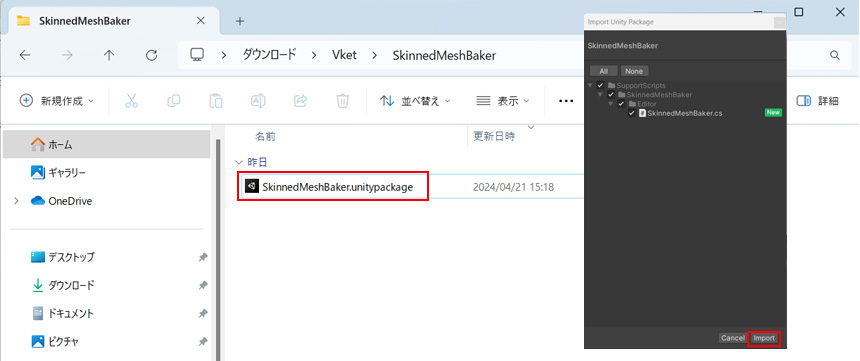
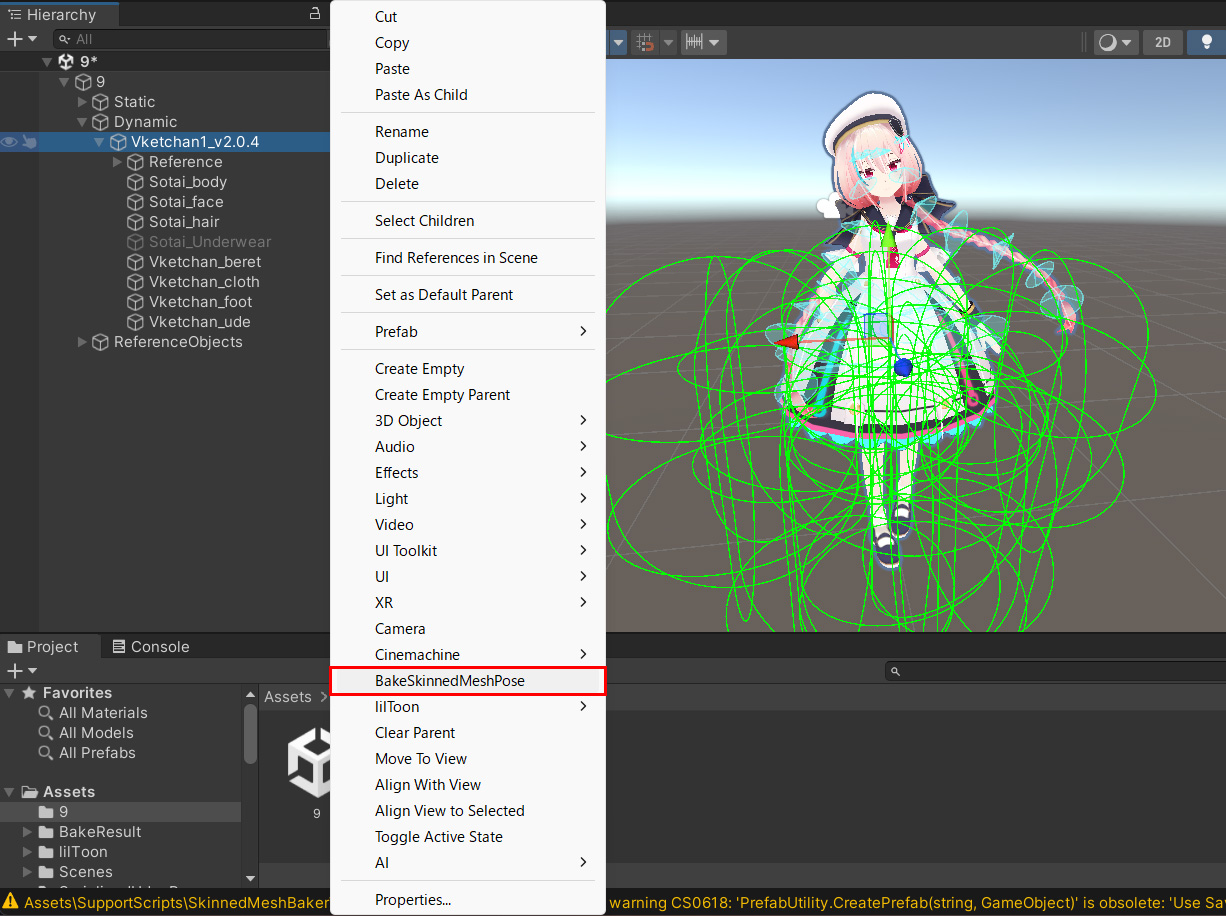
- In the Hierarchy, right-click the root GameObject of the posed model, and select
BakeSkinnedMeshPose.
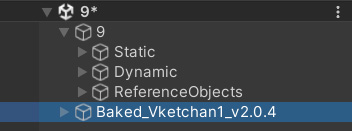
- A baked GameObject will be created inside the Hierarchy, along with a Prefab, and the baked Mesh will be saved in
Assets/BakeResult.
- Move the Prefab and the baked Mesh from
Assets/BakeResult to your submission folder.
- This tool will not overwrite the original object. You can still re-bake after editing the original mesh if you decide that you want to bake again.
- The original object will not be needed after the bake, so make sure to remove the objects before submission.
- References of Textures, Materials, Shaders and as such from the original mesh will be passed onto the baked mesh. Unlike the deprecated version of this tool, it won't be copied under
Assets/BakeResult. Please make sure to place them into the submission folder.
Check the Official Guidelines
Before submitting, please make sure to review the Exhibition Guidelines and Submission Rules. For the submission steps, see the Submission Guide.
^1: As model data will not include weight data after baked, the avatar's Rig cannot be restored even if the model data is ripped.
↑ Back to Top