TOP › My Page TOP ›
Submission Workflow › Vket Official Assets ›
VketCirclePageOpener
VketCirclePageOpener
On Interact, the exhibitor circle page on Vket official site will open on the web browser.
This Prefab will only work with Vket venue worlds during the event period.
- 2D: You may set an image at your choice.
- 3D: You may set a 3D model at your choice.
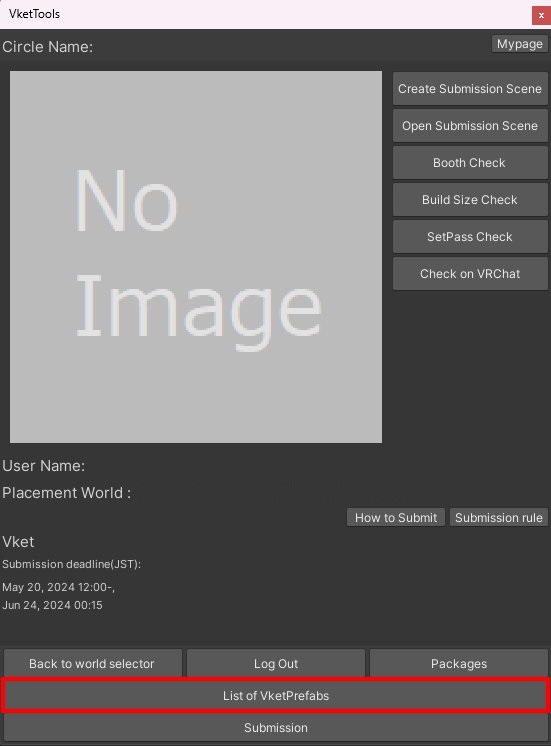
Select the Prefab's "Generate and Configure Prefab" button in the VketTools' VketPrefab list.
Follow the instructions in VketTools to setup the Prefab.
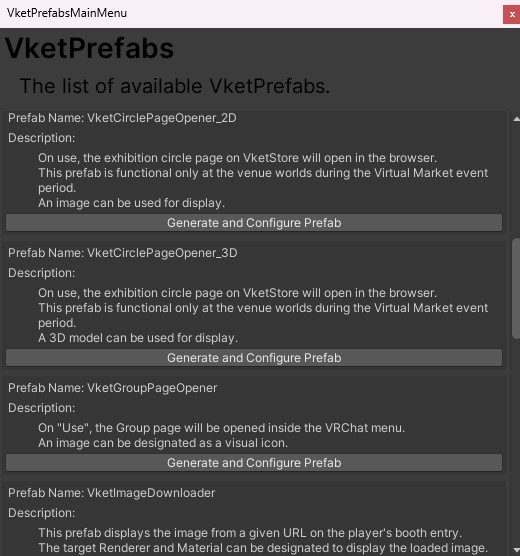
After adding a new Prefab to the scene, the setup window will be displayed.
If the window's closed without edits, you may select the added VketCirclePageOpener_2D object in the Hierarchy, and edit the settings through the Open Setting Window button on the Inspector.
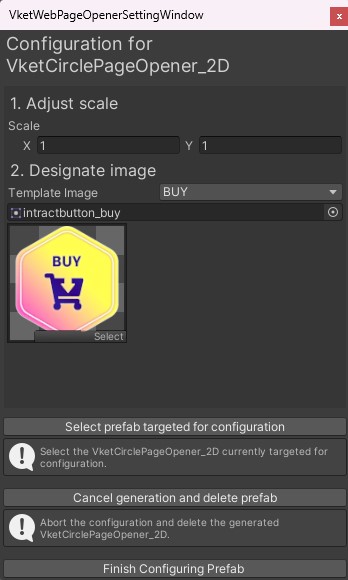
- Adjust scale
Adjust the scale for the VketCirclePageOpener_2D switch, by editing the X,Y values. - Designate image
Designate an image to display the prefab.
You may select a prepared Template Image: BUY, FREE, and CATALOG, or designate an image at your choice by selecting Custom.
*This Prefab will only work with Vket venue worlds during the event period.
*To designate a new image for the button, the image's Texture Type must be Sprite (2D and UI).
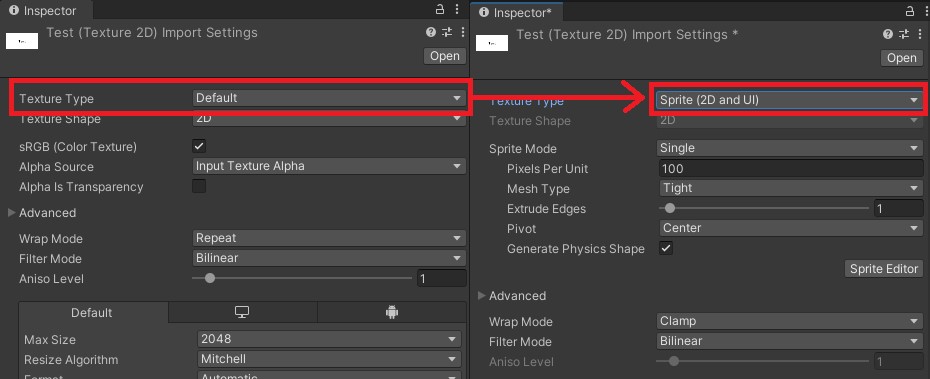
*Do not directly drag & drop images on the Hierarchy. Doing so may lead to unintended visual errors.
After adding a new Prefab to the scene, the setup window will be displayed.
If the window's closed without edits, you may select the added VketCirclePageOpener_3D object in the Hierarchy, and edit the settings through the Open Setting Window button on the Inspector.
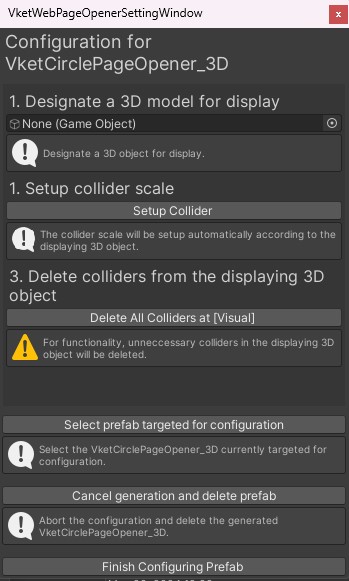
- Set a 3D model for display
Designate the object to be displayed, which will be placed under the Visual object in VketCirclePageOpener_3D prefab.
Please make sure to delete all colliders attached to the object. - Setup collider scale
By selecting
Setup Collider, a Capsule Collider will be automatically set according to the displaying 3D object.
If automatic setup does not work, select the VketCirclePageOpener_3D prefab in the Hierarchy, and adjust the Capsule Collider in the Inspector. - Delete colliders from the displaying 3D object
Selecting
Delete All Colliders at [Visual] will delete the colliders attached to the object under the Visual object.
*For functionality, unnecessary colliders in the displaying 3D object must be deleted.
*This Prefab will only work with Vket venue worlds during the event period.
↑ Back to Top