TOP › My Page TOP ›
Submission Workflow › Vket Official Assets ›
VketGroupPageOpener
VketGroupPageOpener
On Interact, the Group page will open inside the VRChat menu.
If the group has a subscription, its store page can also be opened.
As a visual for the prefab, you may set an image from templates, or a designated image at your choice.
Select the Prefab's "Generate and Configure Prefab" button in the VketTools' VketPrefab list.
Follow the instructions in VketTools to setup the Prefab.
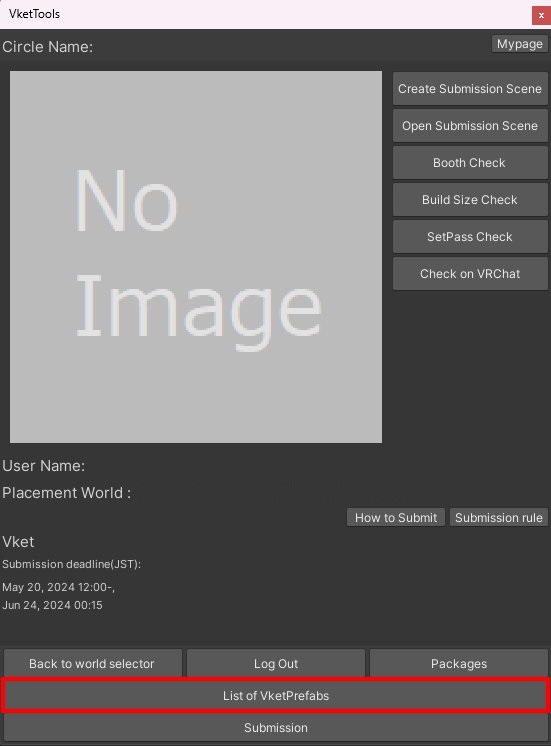
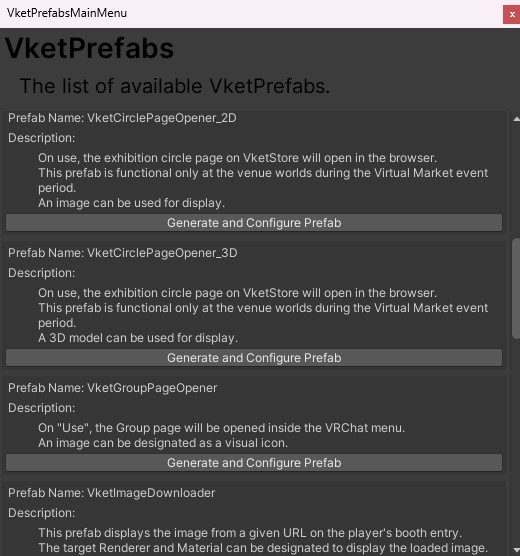
After adding a new Prefab to the scene, the setup window will be displayed.
If the window's closed without edits, you may select the added VketGroupPageOpener object in the Hierarchy, and edit the settings through the Open Setting Window button on the Inspector.
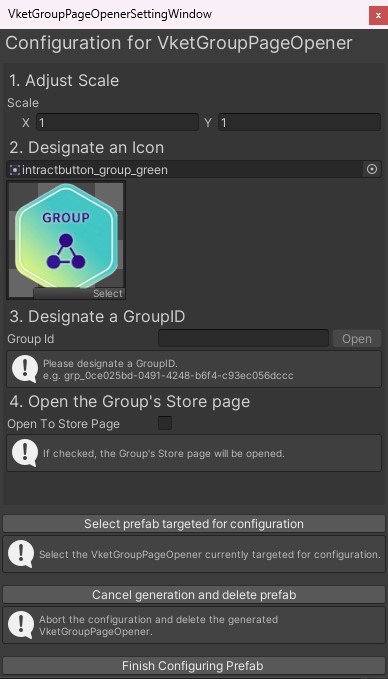
- Adjust Scale
Adjust the scale for the VketGroupPageOpener switch, by editing the X,Y values. - Designate an Icon
Designate an image as an icon.
*To designate a new image for the button, the image's Texture Type must be Sprite (2D and UI).
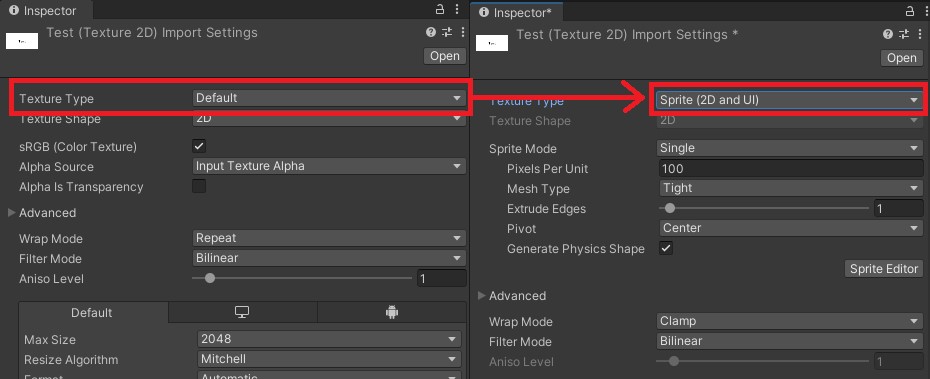
*Do not directly drag & drop images on the Hierarchy. Doing so may lead to unintended visual errors.
- Designate a GroupID
Designate the VRChat Group ID.
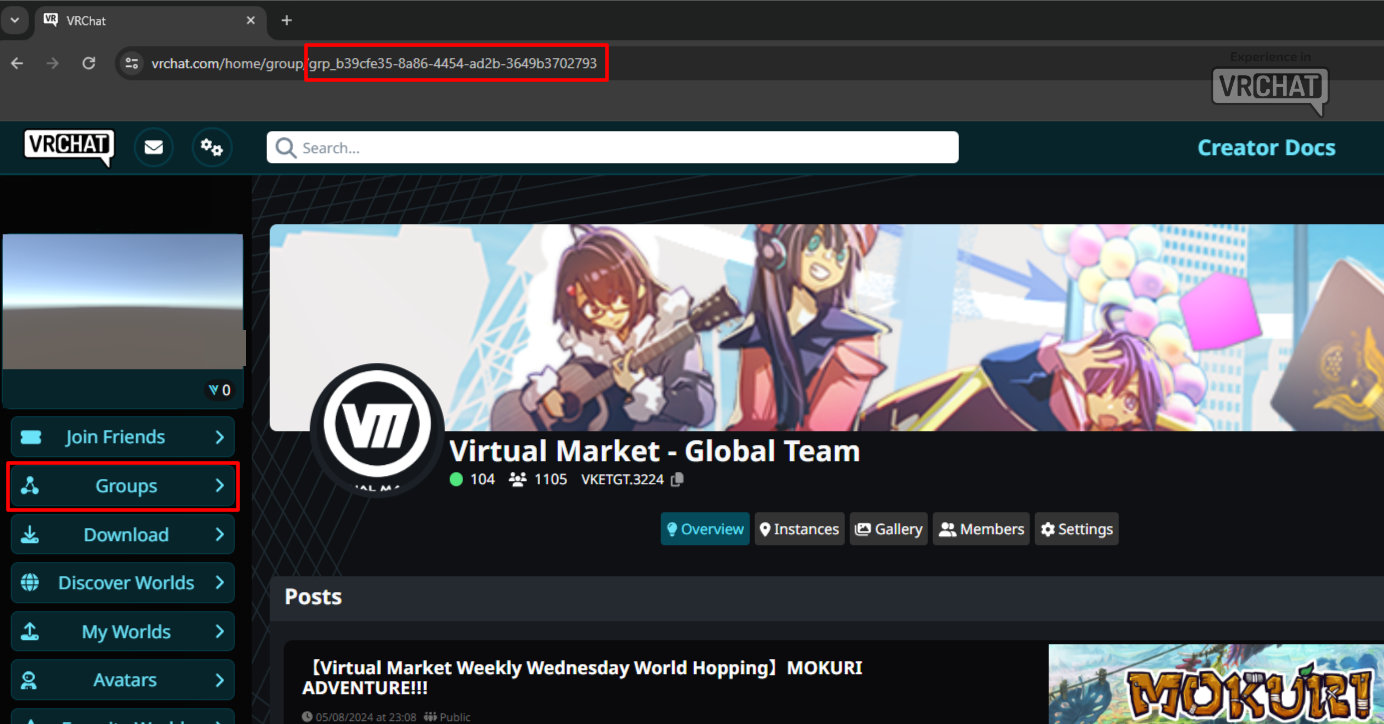
On the Groups page of the VRChat official website, select the group name whose Group ID you want to check.
On the group page, the grp_xxxx part of group/grp_xxxx in your browser's URL is the Group ID.
*The "copy link" below the group name copies the page URL, which does not show the Group ID.
- Open the Group's Store page
If checked, the Group's Store page will be opened.
↑ Back to Top