You must create a Vket Account to apply for an exhibition, submit your creation, or host your events in Vket.
Sign up can be done easily by linking your service accounts!
This Prefab can switch the venue world's language settings. (This is used to switch between displaying English and Japanese.)
When the display language is English, objects registered to En Switch Objects will be shown, while those in Jp Switch Objects will be hidden.
When set to Japanese, the behavior is reversed.
This language switch affects all other exhibits, allowing the entire world to be toggled between English and Japanese.
The language switch applies locally and will not synchronize with other players.
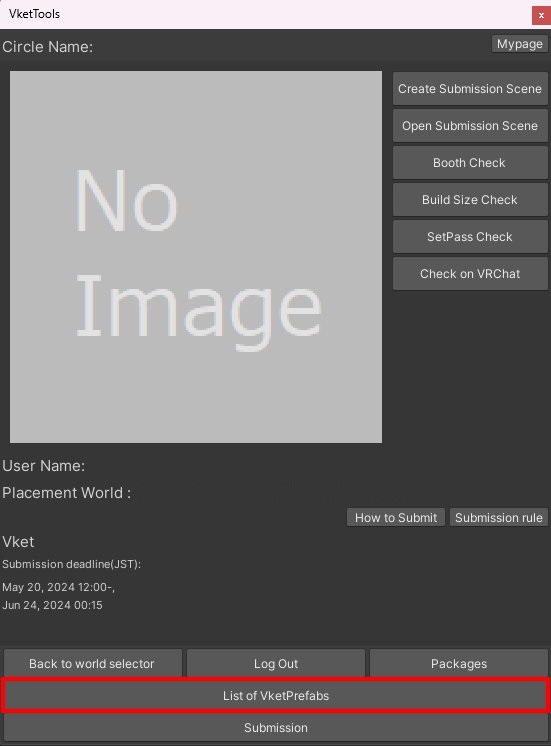
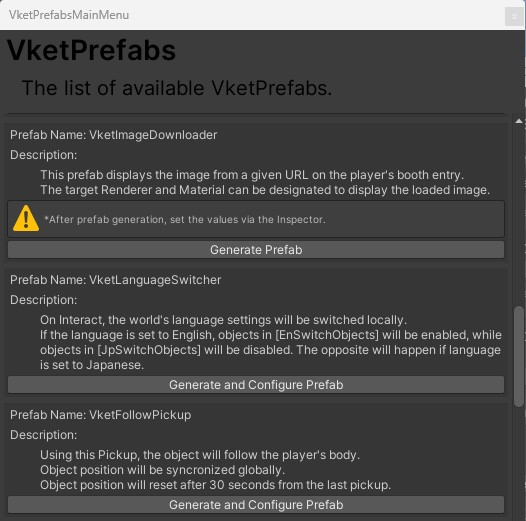
Select the Prefab's "Generate and Configure Prefab" button in the VketTools VketPrefab list.
Follow the instructions in VketTools to set up the Prefab.
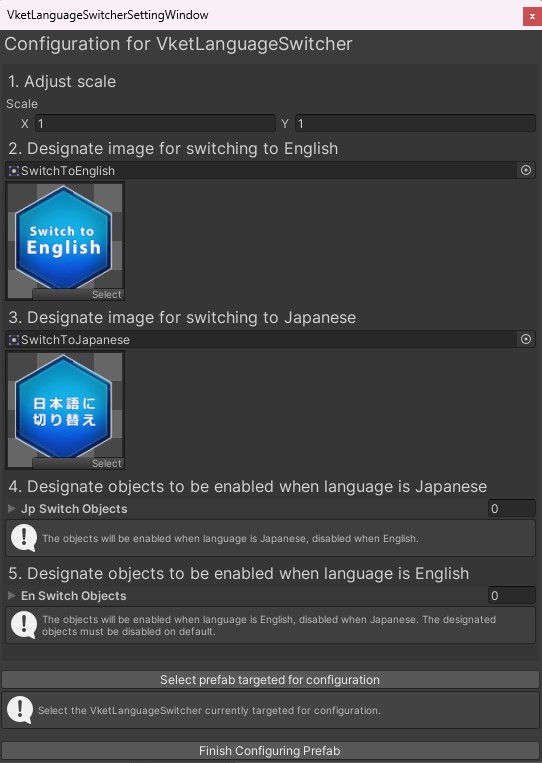
After adding a new Prefab to the scene, the setup window will be displayed.
Even if you close the settings window, you may select the added VketLanguageSwitcher object in the Hierarchy, and edit the settings through the Open Setting Window button on the Inspector.
Adjust scale
Adjust the scale of the VketLanguageSwitcher switch.
Designate image for switching to English
Designates an image for a switch to change the language to English.
This setting allocates the image to VketLanguageSwitcher's Switch To English Sprite.
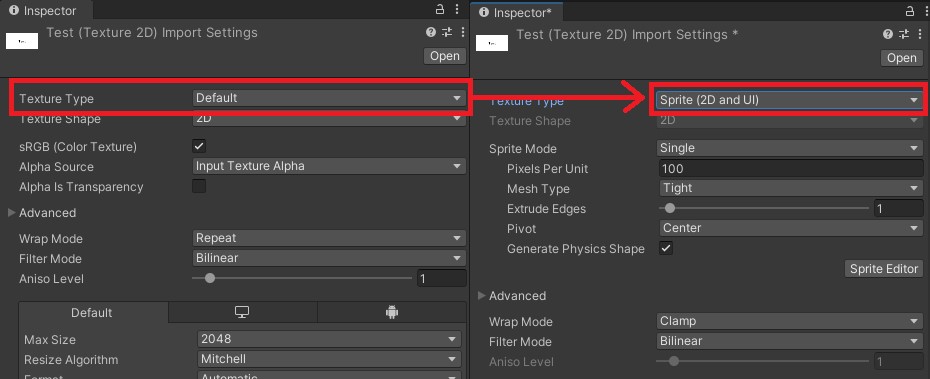
*To designate a new image for the button, the image's Texture Type must be Sprite (2D and UI).
*Do not directly drag & drop images on the Hierarchy. Doing so may lead to unintended visual errors.
Designate image for switching to Japanese
Designates an image for a switch to change the language to Japanese.
This setting allocates the image to VketLanguageSwitcher's Switch To Japanese Sprite.
*To designate a new image for the button, the image's Texture Type must be Sprite (2D and UI).
*Do not directly drag & drop images on the Hierarchy. Doing so may lead to unintended visual errors.
Designate objects to be toggled by language Designate the objects to be shown for each language in the Prefab's list. Place the objects under the Visual object, and add them to either Jp Switch Objects or En Switch Objects list in the Inspector.
Multiple objects can be configured by selecting + or editing the list size value.
Jp Switch Objects: Register objects to be shown when the language is Japanese.
En Switch Objects: Register objects to be shown when the language is English.
Important
Initial State Settings in UnityIf the Active/Inactive settings of GameObjects are not correct, it may lead to unintended visual behavior when entering the world, such as objects not appearing in the intended language or overlapping with each other.
In addition to the VketTools settings, please ensure the following states in Unity: