TOP › My Page TOP ›
Submission Workflow › Vket Official Assets ›
VketMirror
VketMirror
VketMirror is a mirror that appears when a player enters a designated area and disappears when they leave.
Its visibility can also be controlled via UdonEvents.
VketMirror will automatically become hidden if the player leaves the booth area.
By default, the mirror only reflects players (avatars).
Select the Prefab's "Generate and Configure Prefab" button in the VketTools' VketPrefab list.
Follow the instructions in VketTools to setup the Prefab.
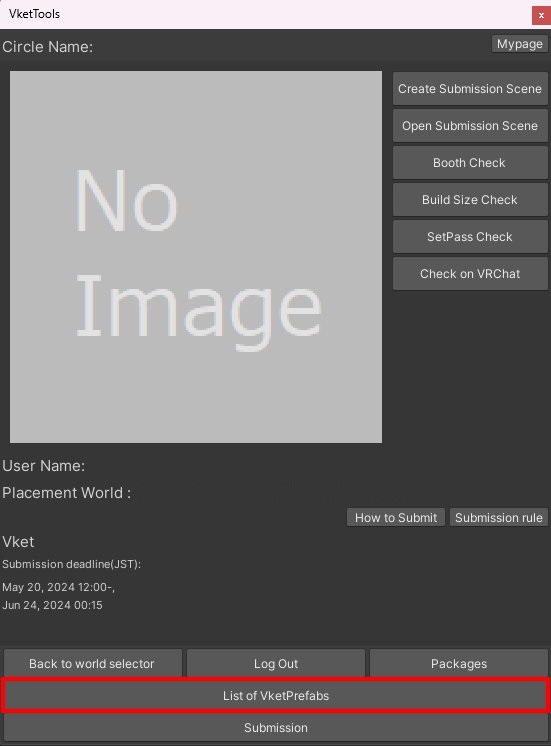
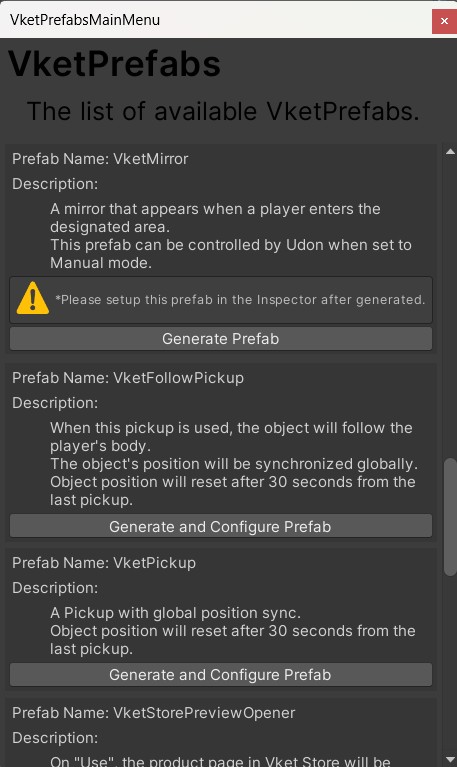
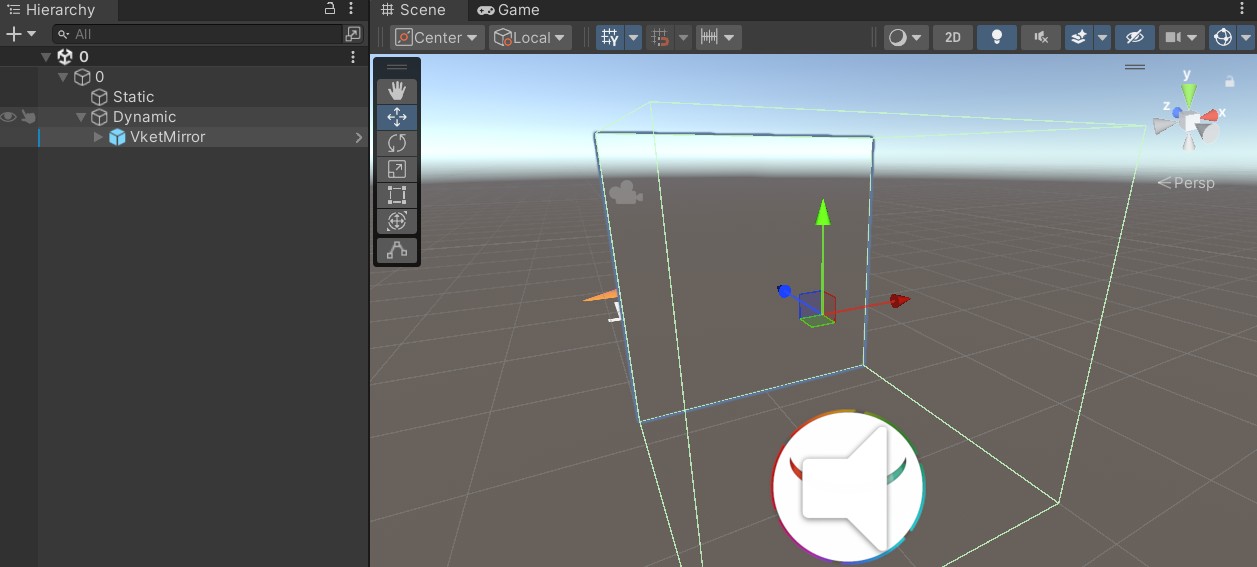
After adding the prefab, adjust the position of the VketMirror.
By default, the mirror displays in the negative direction of the Z-axis when placed.
You may adjust the Mirror object, which is a child of the VketMirror, to your preference.
*Please be careful when moving the VketMirror, as it may cause the BoxCollider to exceed placement limits.
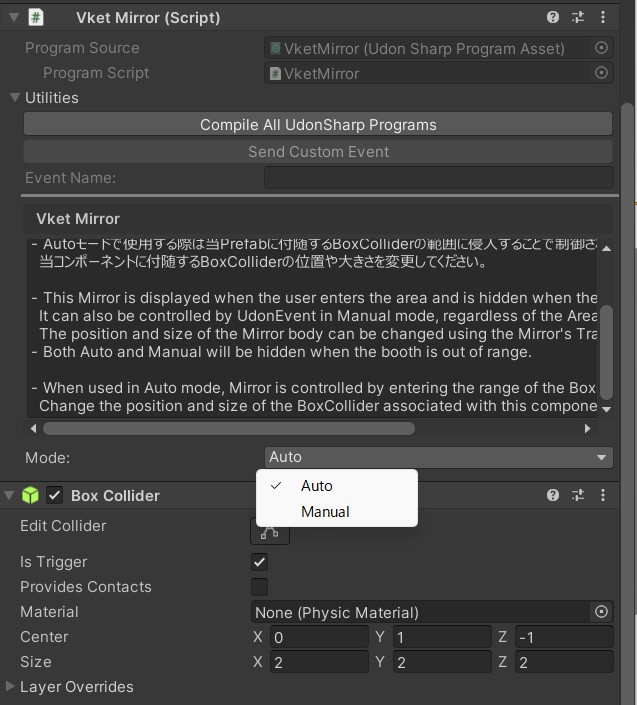
- In both Auto and Manual modes, the mirror will be hidden when the player leaves the booth area.
- In Auto mode, the mirror is controlled when a player enters the area defined by the attached BoxCollider.
You may change the position and size of the BoxCollider attached to the component. - In Manual mode, the mirror can be controlled via Udon, and the BoxCollider is disabled.
- In Manual mode, use
SendCustomEvent from another UdonBehaviour to call _SetEnableMirror() and _SetDisableMirror() to control visibility. - If you want to trigger an event when the mirror is hidden, use
_VketOnBoothExit.
By default, the mirror only reflects players (avatars).
To also reflect the background or your exhibits, select the Mirror object (a child of VketMirror), then in the VRCMirrorReflection component in the Inspector, check the layers of the objects you want to reflect under Reflect Layers.
- By default, the mirror reflects the
Player, MirrorReflection, and HardwareObjects layers. - Reflecting more layers increases the mirror's rendering load. Check only the layers you need.
VRC_Mirror can only be used with this prefab.- If you delete the
Mirror object or its associated VRCMirrorReflection, the prefab will break. Also, the mirror will not function in Auto mode if the BoxCollider is disabled.
↑ Back to Top