TOP › My Page TOP ›
Submission Workflow › Vket Official Assets ›
VketPickup
VketPickup
This is a component that allows the Pickup functionality, so that objects can be held by hand.
If no one touches the object for 30 seconds, it will automatically return to its original position.
If you move while holding an object, you can carry it outside of the booth.
This page assumes you have already opened the submission scene.
For how to create a submission scene, see the Vket 2026 Winter Submission Guide.
- From the
VketTools menu at the top of Unity, click Show Control Panel to open VketTools.
If the VketTools window displays Please log in to VRChat SDK, log in to your VRChat account from the "VRChat SDK" window, then try again.

- Click the
List of VketPrefabs button at the bottom of VketTools.
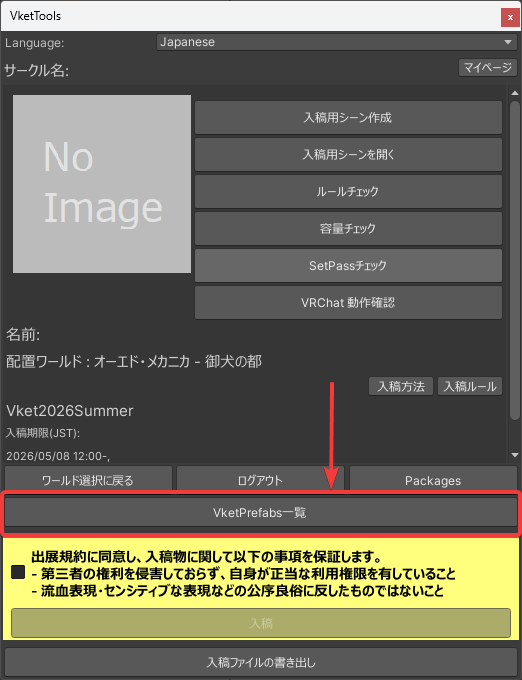
- Scroll down in the VketPrefabMainMenu window and click the
Generate and Configure Prefab button next to the item labeled Prefab Name: VketPickup.
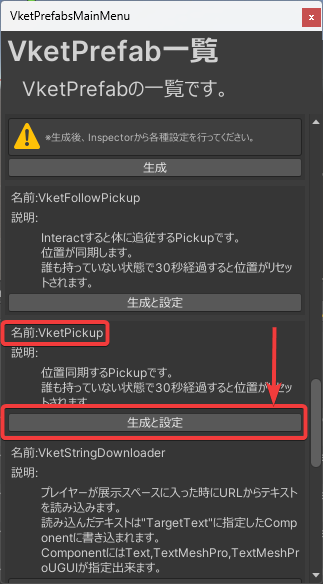
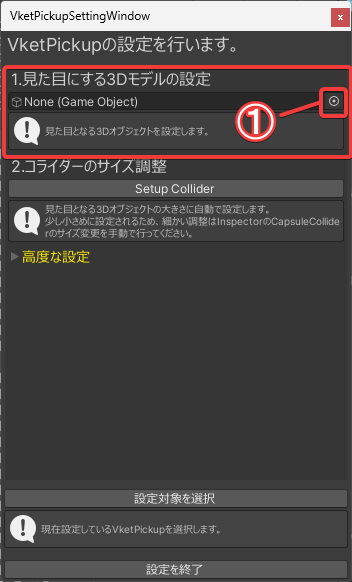
- In the VketPickupSettingsWindow, you can set the 3D model you want to use as the appearance from the selection field under
1. Designate a 3D model for display using one of the following two methods:
- Click the button at the right end of the selection field (① in the image), select the object (3D model) you want to use as the appearance from the
Select Game Object window, then click the ☓ button in the upper right corner, or double-click the object (3D model) you want to set as the appearance. - Drag and drop the object (3D model) you want to set as the appearance from the Hierarchy into the selection field.
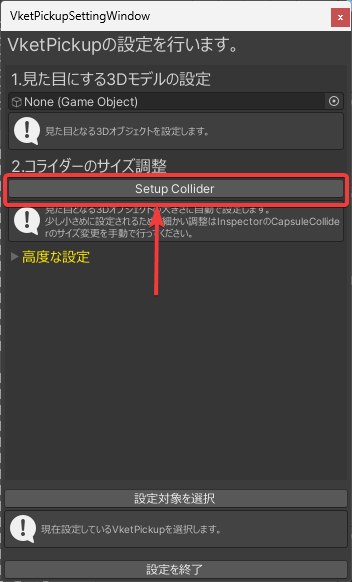
- Click the
Setup Collider button under 2. Setup collider scale.
If Setup Completed is displayed in Unity's Console, the setup was successful.
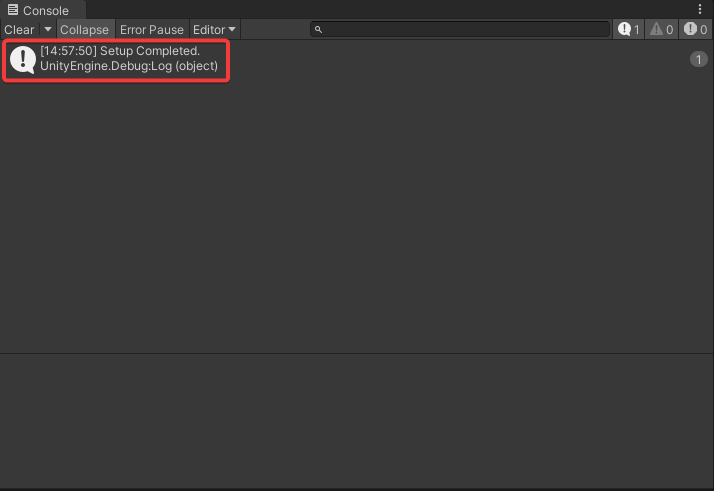
- Select
[Submission ID] > Dynamic > VketPickup in the Hierarchy, and adjust the collider size by modifying the items within the CapsuleCollider in the Inspector.
Additionally, if a collider was already set on the object configured in step 4, the VketPickup functionality may be hindered depending on the shape and size, so it is recommended to remove the collider settings from the original object.
The default settings are fairly small.
For details on the various CapsuleCollider settings, please refer to the Unity official documentation.
Capsule collider component reference
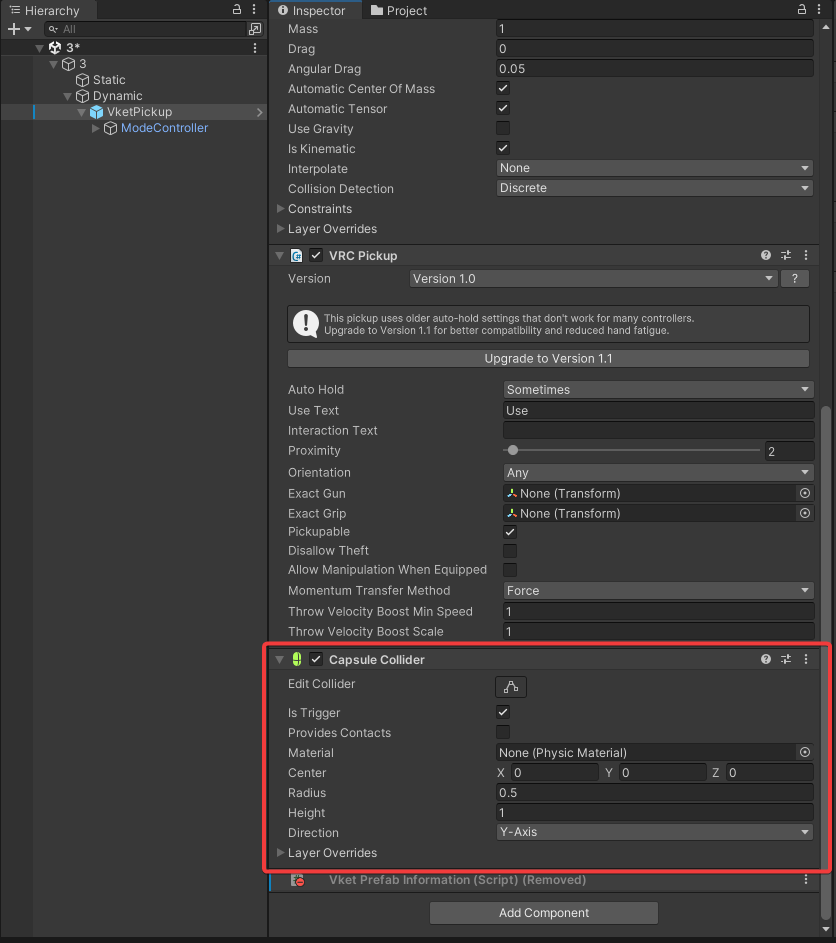
If the automatic size adjustment does not work well, select VketPickup from the Hierarchy and adjust the Capsule Collider in the Inspector's Capsule Collider Settings to fit the appearance.
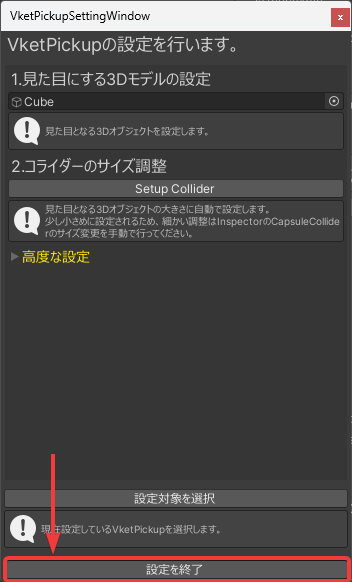
- Click the
Finish Prefab Configuration button at the bottom to close the VketPickupSettingsWindow.
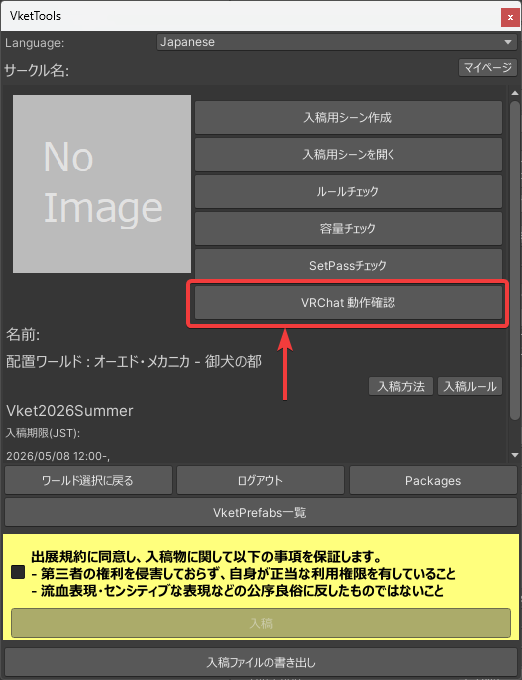
- Click the
Check in VRChat button in the VketTools window to automatically launch VRChat and enter the world of the submission scene.
Approach the configured object and confirm that a blue outline appears around the object and a blue dotted line extends from the avatar's hand.
In that state, confirm that the following actions work correctly to complete the setup:
- You can pick up the object by left-clicking
- While holding the object, you can release the object by right-clicking
- The object returns to its original position 30 seconds after being released
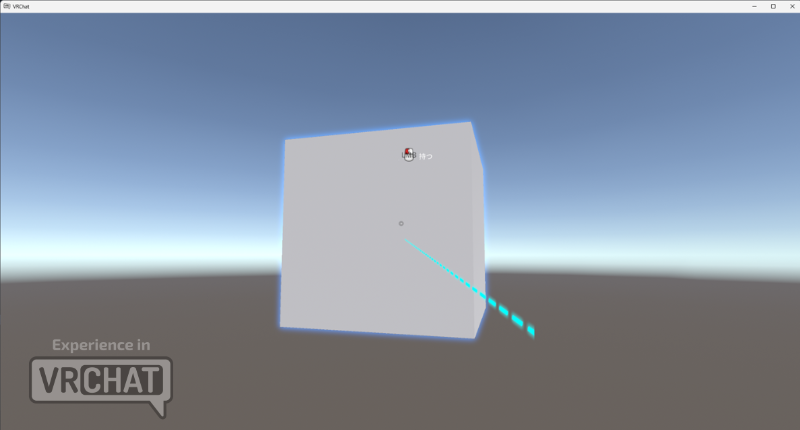
If you want to set different animations for before and during Pickup, you can set animations to be played at the following timings:
- PickupUseDown: When the trigger button is pressed during Pickup.
- PickupUseUp: When the trigger button is released during Pickup.
- Pickup: While the object is being held.
- Drop(Idle): While the object is not being held.
To set animations, select the VketPickup added to the Hierarchy, click the Create new overrider controller button in the Inspector, and create an Override Controller file.
A "Save As" dialog will appear; save it with an appropriate name inside your submission folder.
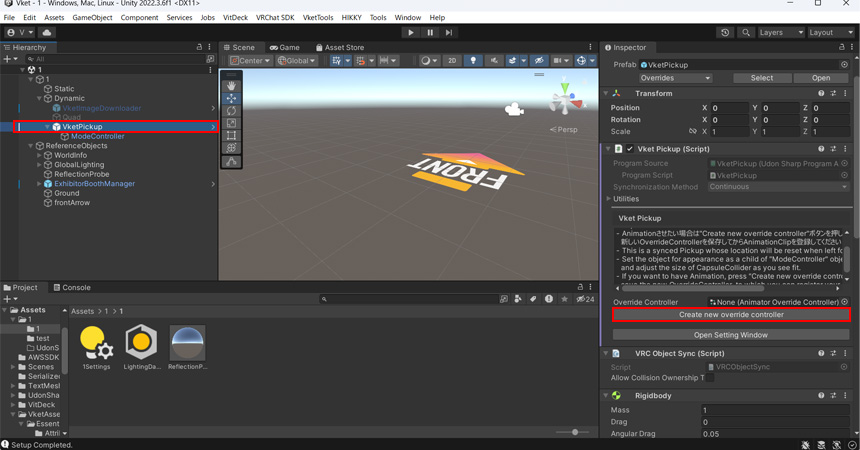
Select the created Override Controller file and set the animations you want to play for each timing.
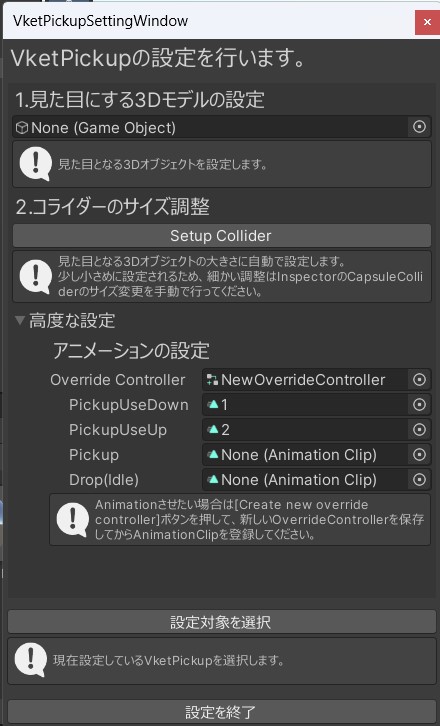
- When setting animations via Advanced Settings, you must create animations with the ModeController object as the root.
- If no specific animation is needed for when the object is not being held, leave it as
None. - If you want the same animation to play in a loop during Pickup, check the
Loop Time for the animation set for Pickup. - Also, in the case of a loop animation, do not leave
PickupUseDown and PickupUseUp as None; set an animation for them. Using the same animation as Pickup is fine.
↑ Back to Top