TOP › My Page TOP ›
Submission Workflow › Vket Official Assets ›
VketMarketplaceOpener
VketMarketplaceOpener
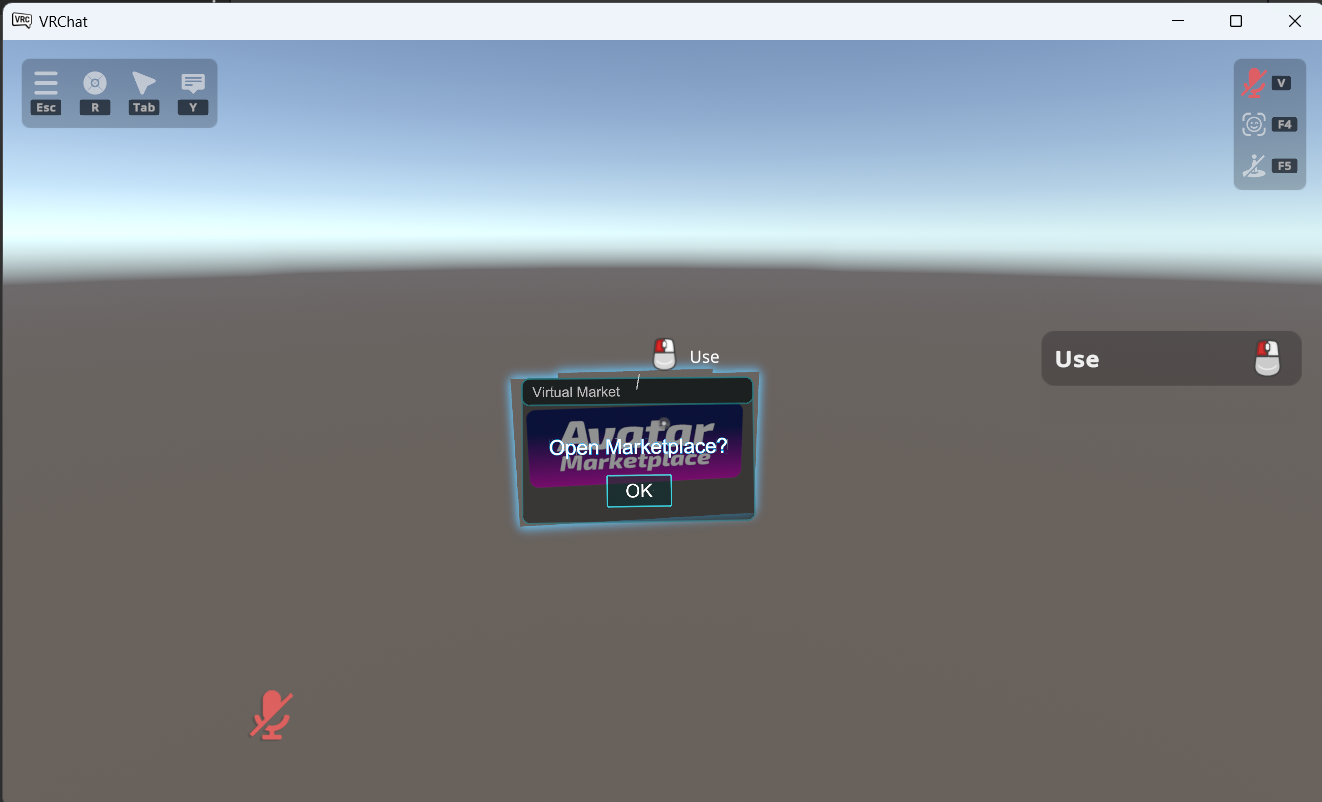
On Interact, the purchase screen of the listing designated in Listing ID will open inside the VRChat menu.
- On Interact, a confirmation window will be displayed. Interact with it again to open the purchase screen.
- Only listings published on the Avatar Marketplace, etc. can be opened.
Listing ID is the only setting. The image and size of the prefab cannot be changed.- This Prefab does not work in
Check in VRChat (Build & Test), but it works in the Preview World.
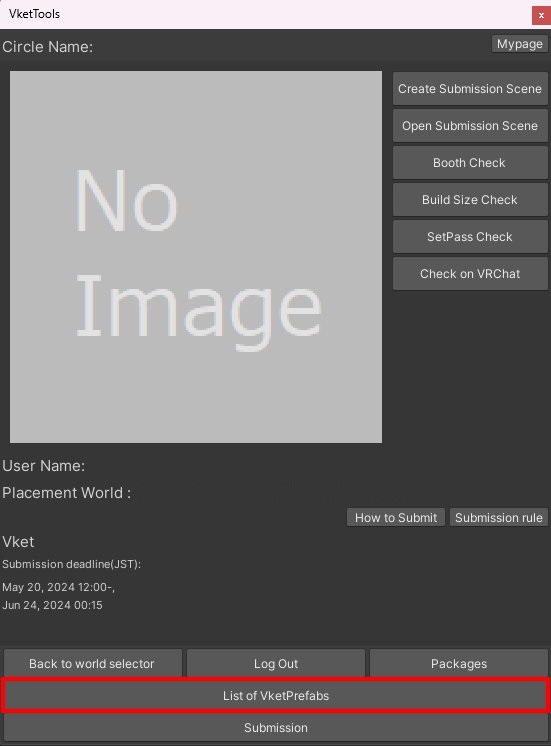
Select the Prefab's "Generate and Configure Prefab" button in the VketTools' VketPrefab list.
Follow the instructions in VketTools to setup the Prefab.
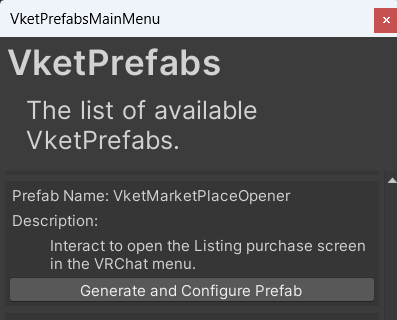
After adding a new Prefab to the scene, the setup window will be displayed.
If the window's closed without edits, you may select the added VketMarketplaceOpener object in the Hierarchy, and edit the settings through the Open Setting Window button on the Inspector.
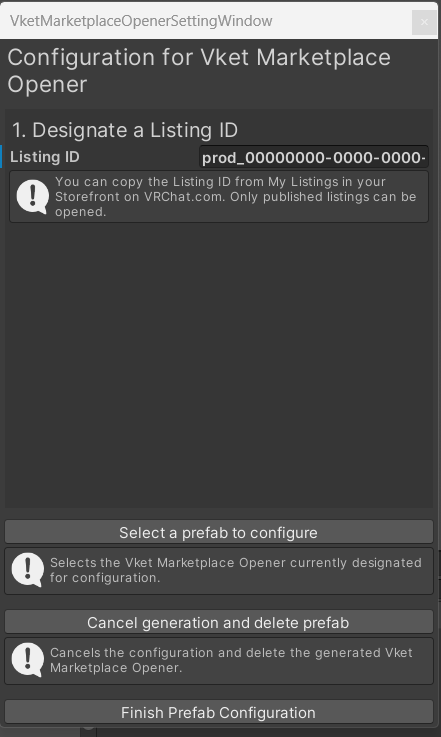
- Designate a Listing ID
Designate the Listing ID of the listing you are selling.
The Listing ID is in the format prod_00000000-0000-0000-0000-000000000000. If the format is invalid, an error will be displayed below the input field.
You can copy the Listing ID from My Listings in your Storefront on the VRChat official website.
For how to create a listing and copy its Listing ID, see How to Register as a Seller on Avatar Marketplace.
↑ Back to Top