TOP › My Page TOP ›
Submission Workflow ›
VketTools Installation Guide
For Unity submissions (VketTools), create a new project using the Unity 2022 World Project template in the "VRChat Creator Companion (VCC)," import all necessary packages, and then proceed with the submission process.
At that time, please introduce a tool called "VketTools" into your created project, which includes the functions and assets necessary for submission.
This article only provides an overview and flow; for details, please refer to each submission guide and the VCC installation page.
The submission process generally follows these steps:
- Download and install VCC from VRChat
- Download VketTools
- Import VketTools into your Unity project
- Start creating your exhibition!
- Submit using VketTools
- After submission, check your exhibit in the Preview World
VRChat Creator Companion is required to use VketTools.
For detailed instructions on installing VRChat Creator Companion and Unity, please refer to the following page:
How to Install VRChat Creator Companion
VketTools will be distributed on the "Submissions" page once the Submission Period begins.
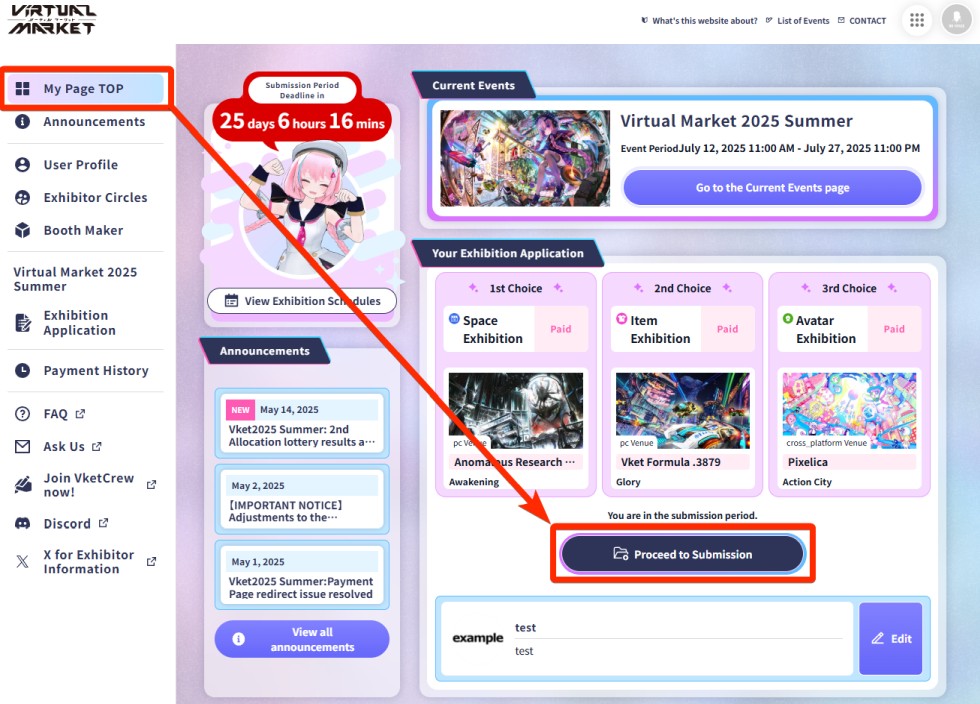
To download VketTools, click the Proceed to Submission button from your My Page TOP.
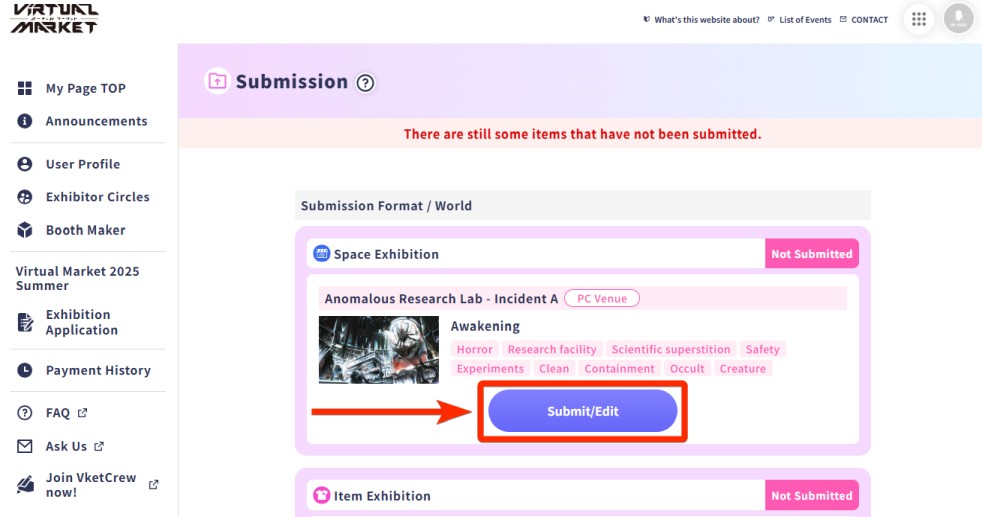
A list of worlds available for submission will open. Click the Submit/Edit button.
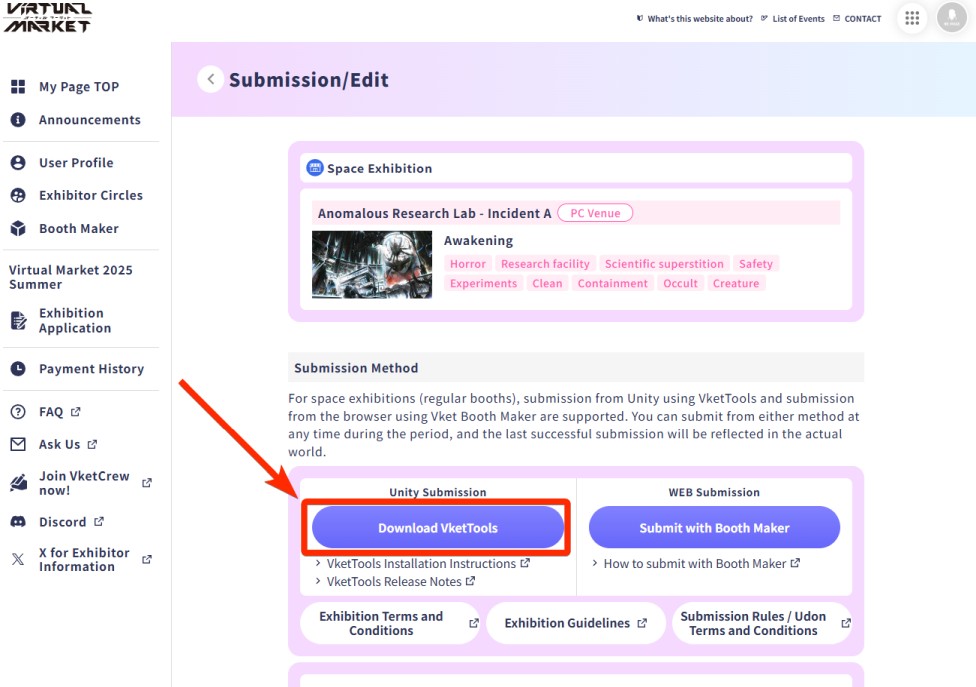
You will enter the submission screen for the selected world. Click Download VketTools to start downloading VketTools.
*You can also enter the Preview World from this screen.
When a new version of VketTools is released for patches or other reasons, you'll be prompted to update with a dialog. Note that you can only submit with the latest version.
For details of the update, please refer to the Release Notes found in the Info Window (opened by VketTools > Info on VketTools' menu).
From here, the process differs depending on the type of exhibition. Please refer to the appropriate submission guide below:
Vket 2026 Winter Submission Guide
↑ Back to Top