Exhibition Guidelines
⚠️ This page contains information as of Vket2025 Winter. Please refer to the latest event information.
| Space Exhibition | |
|---|
| Exhibition fee | JPY 3,300 (Tax Included) |
| Available Spaces | 528 spaces |
| Submission Method | Unity Submission(VketTools), Web Submission (Vket Booth Maker) |
| Exhibition Application Period | September 5, 2025 - September 15, 2025 |
| Notes | Exhibit your creations in an allocated space, where exhibitors create their own booths in their style.
You may choose to create your own exhibition booth on Unity, or use the Vket Booth Maker on the web browser. |
| Item Exhibition | |
|---|
| Exhibition fee | JPY 1,100 (Tax Included) |
| Available Spaces | 144 spaces |
| Submission Method | Unity Submission(VketTools) |
| Exhibition Application Period | September 5, 2025 - September 15, 2025 |
| Notes | Focused on a casual submission experience, Item Exhibitions exhibits one Item per exhibitor on a display stylized on each venue world themes.
For Item Exhibition, exhibitors can display their created avatar or 3D item on a selectable pedestal. |
| Avatar Exhibition | |
|---|
| Exhibition fee | Free |
| Available Spaces | 100 spaces |
| Submission Method | Unity Submission(VketTools) |
| Exhibition Application Period | September 5, 2025 - September 15, 2025 |
| Notes | The "Avatar Exhibition" focuses on Avatar Marketplace, with the main goal of providing visitors the experience of changing into cross-platform avatars on the spot.
You can exhibit cross-platform compatible avatars that are sold or distributed via Avatar Marketplace or other services.
If you exhibit models sold on the Avatar Marketplace, the Listing ID registered in Avatar Products is required. |
| Notes | This "Avatar Exhibition" format is mainly for those who sell or distribute avatars on VRChat's Avatar Marketplace or other services.
At the time of application, please select the sales/distribution method you use.
If you do not plan to register your avatar on the Avatar Marketplace, please do not check "Sell on Avatar Marketplace" when applying for the lottery. |
- On Virtual Market 2025 Winter, up to 1-3rd choices can be designated on application.
- Please pay the exhibition fee within the payment period after the lottery results are announced.
- The exhibition fee must be settled by PayPal or Credit Card payment.
- If the exhibition fee is not paid by the deadline, the allocated status will be cancelled.
- The exhibition fee will be required only when your exhibition is confirmed.
- No payment will be made if your exhibition space has not been allocated due to lottery results.
- Please note that no refunds will be available in general on the occurrence of the event of cancellation of your exhibition after payment. We thank you for your understanding.
Please also refer to the following FAQ.
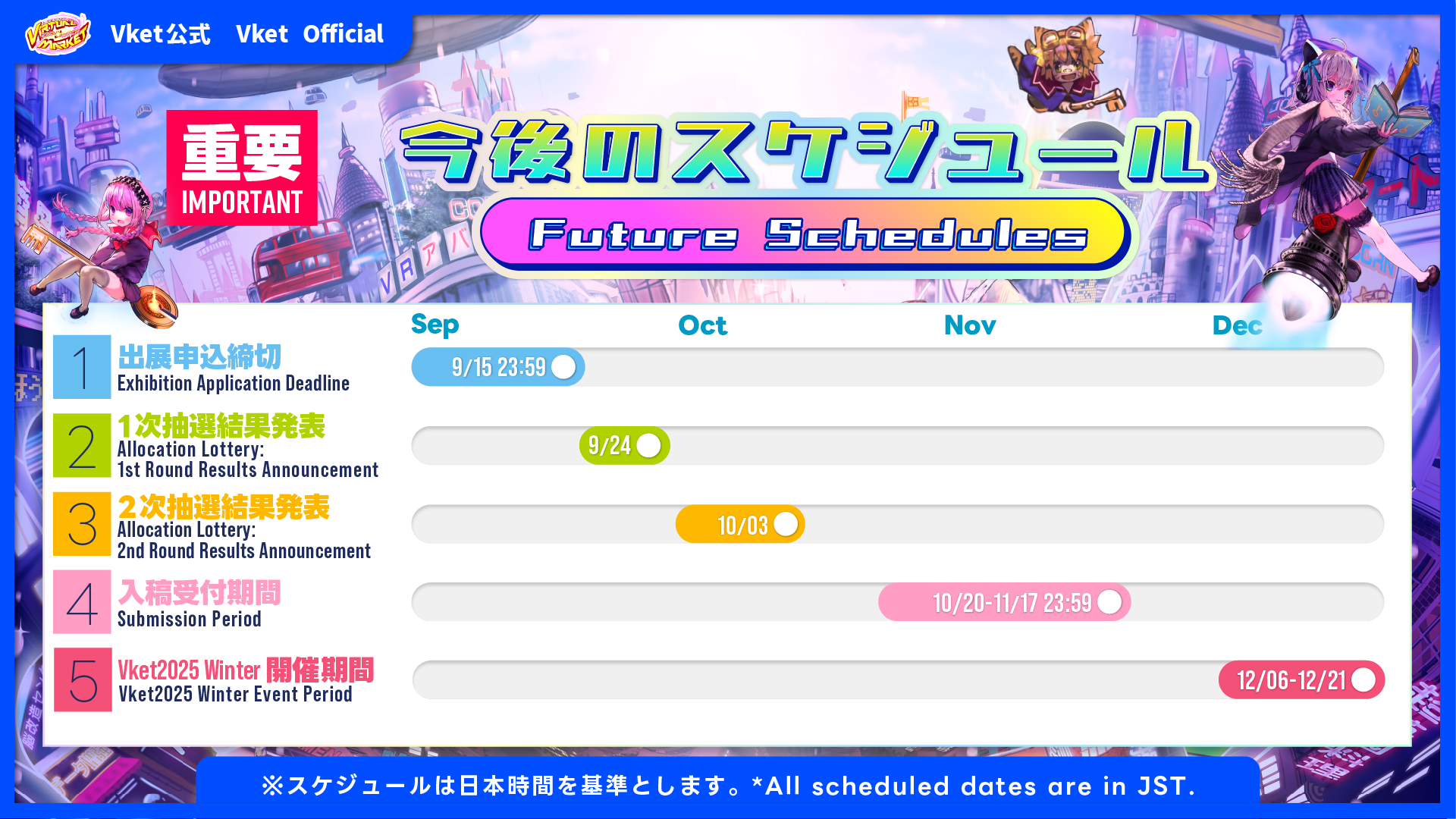
| Date | Time | Event |
|---|
| September 15, 2025 | 2:59 pm UTC / 11:59 pm JST / 10:59 am EDT | Application deadline |
| September 24, 2025 | | Announcement of 1st allocation lottery results |
| October 3, 2025 | | Announcement of 2nd allocation lottery results |
| October 20, 2025 | | Submission Period starts |
| November 17, 2025 | 2:59 pm UTC / 11:59 pm JST / 9:59 am EST | Submission deadline |
| December 6, 2025 | | Virtual Market 2025 Winter starts |
| December 21, 2025 | | Virtual Market 2025 Winter ends |
- For the allocation lottery, even if you are not selected in the first wave of lottery on September 24, you may still be selected in the second wave of drawing on October 3.
- The preview world will be updated periodically during the submission period, allowing you to preview your space anytime.
It is strongly recommended to submit your space several times during the Submission Period, and visit the Preview World in order to check the exhibit's appearance, lighting, gimmick debug, and other checks.
- *In the Avatar Exhibition, due to the arrangement system, submitted avatar will be placed in the preview world once during the submission period and once after the submission period ends. Unlike other exhibition formats, daily placement updates will not be performed. Thank you for your understanding.
- Exhibit 3D models, Videos, and Music Creations
- Guide visitors to where your creations are being sold!
- Express yourself through your own space
- Exhibit the works, events, and culture of your group/community
The world design and the booth design will mutually enhance and improve each other.
The theme of Virtual Market 2025 Winter is "Go unlock the Gates to possibilities, Keymaster."
Centering around this concept, we have put in place 12 worlds based on 6 different concepts for the PC venues, and 4 worlds based on 2 different concepts for Cross-Platform venues.
The differences in the rules are as follows. For details, please refer to the Submission Rules of each.
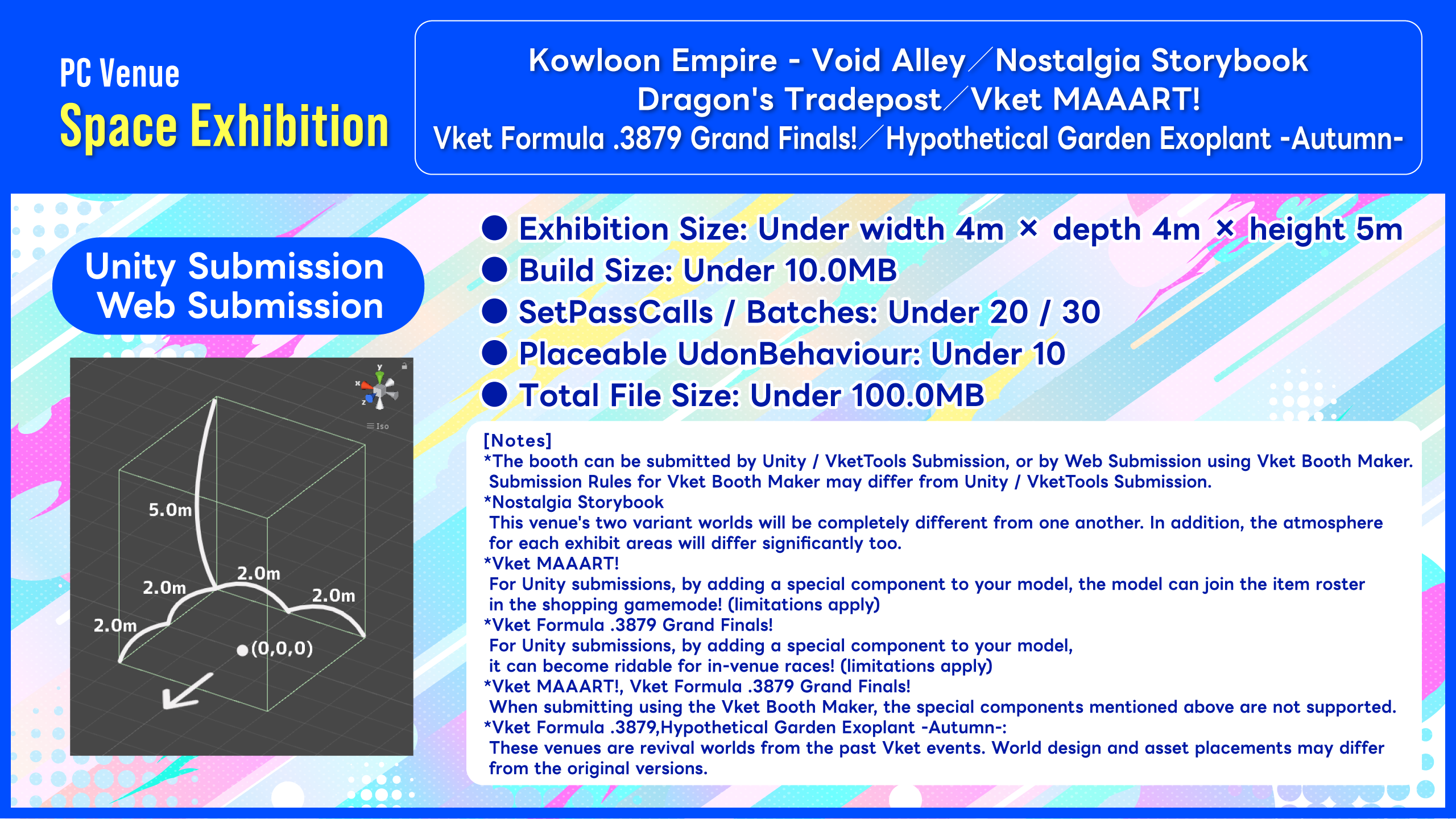
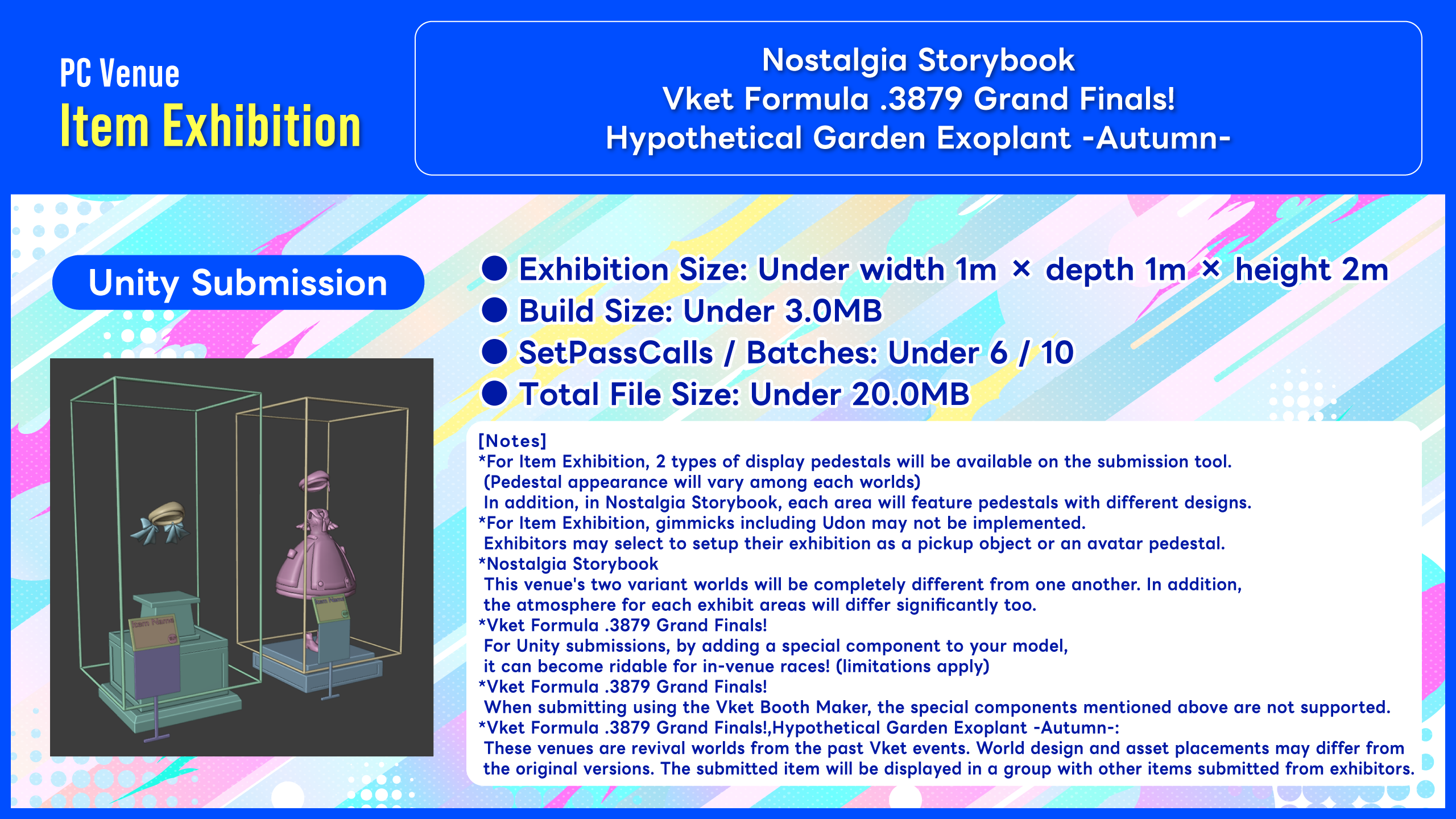
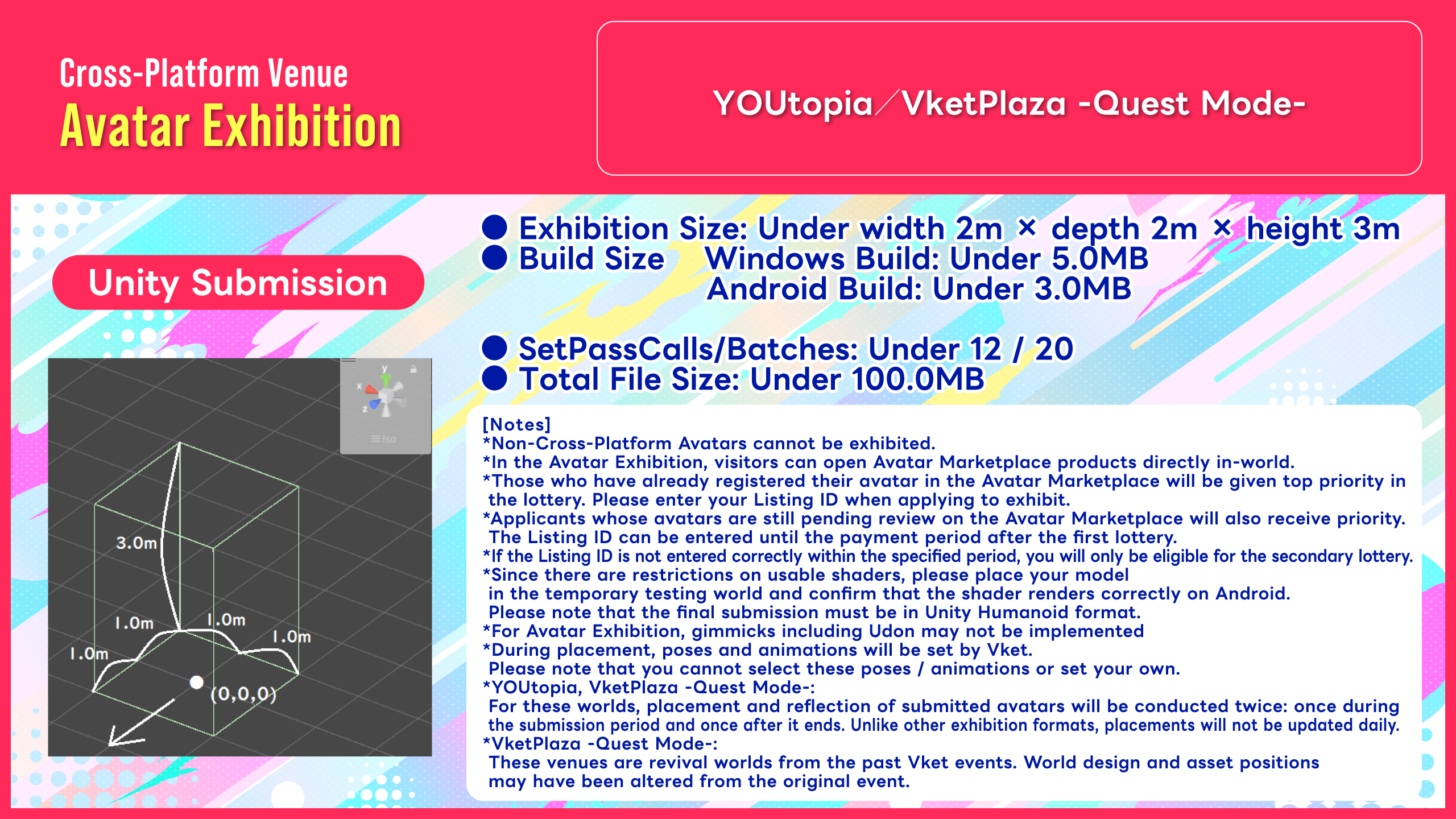
- The rules and exhibition format for Avatar Exhibitions have been significantly updated.
- This Avatar Exhibition focuses on the Avatar Marketplace, aiming to provide visitors with the experience of changing avatars directly in-world.
- Visitors can open Avatar Marketplace products directly in-world.
- For more details about the Avatar Marketplace, please refer to the following:
- Those who have already registered their avatar in the Avatar Marketplace will receive top priority in the lottery.
- Please check the option "Sell on Avatar Marketplace" when applying for the lottery, and then enter your Listing ID.
- The entered Listing ID will only be used for the lottery. During submission, you can register a Listing ID again, specify a different product bundle, or exhibit a different avatar.
- Applicants with pending avatar registration requests in the Avatar Marketplace will likewise be given priority during the lottery.
- When applying for the lottery, you may complete your exhibition application after checking "Sell on Avatar Marketplace" even if the Listing ID field is left blank.
- However, please make sure to enter your Listing ID by 23:59:59 on September 29 JST.
- First-round winners must enter their Listing ID on time, otherwise their entry will move to the second lottery. Please note this in advance.
- For instructions on obtaining a Listing ID, please refer to the following:
- *Please note that registering as a seller and submitting avatars to the Avatar Marketplace requires multiple reviews in VRChat and may take time.
- If you do not plan to register your avatar on the Avatar Marketplace, please do not check "Sell on Avatar Marketplace" when applying for the lottery.
- If you expect that you will not be able to enter your Listing ID within the designated period, we recommend applying for the lottery without checking "Sell on Avatar Marketplace."
- Please see the Submission Rules for further changes.
PC Venues are VRChat worlds accessible by PC-VR or Desktop environments.
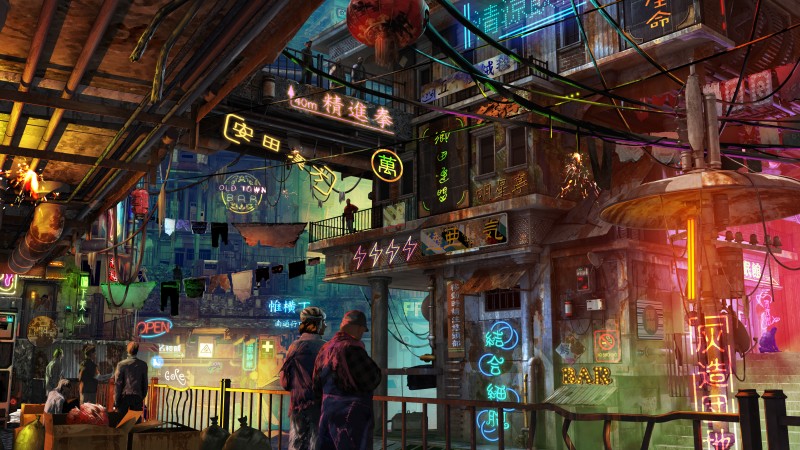
Space Exhibition : 48 spaces x 2 worlds | 4m x 4m x 5m
This world will only contain Space Exhibitions.
- On display, the submitted exhibition will be surrounded by walls except for the front side.
For concept text and keywords, see the World Details page.
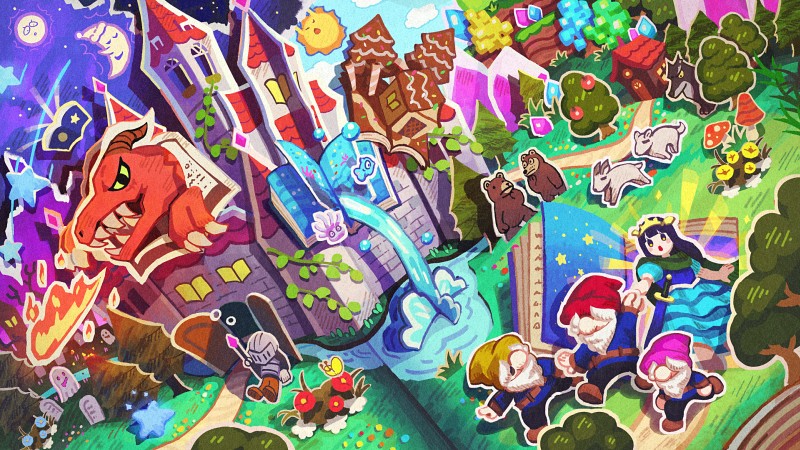
Space Exhibition : 40 spaces x 2 worlds | 4m x 4m x 5m
Item Exhibition : 24 spaces x 2 worlds | 1m x 1m x 2m
This world contains 2 types of exhibitions: space exhibitions and item exhibitions.
- *Nostalgia Storybook is positioned as an experimental challenge world where the variant B venue will be a completely different world from variant A.
- Each exhibit areas will also be distinguished and experimental, so we await exhibitors who are up for the unpredictable challenge!
For concept text and keywords, see the World Details page.
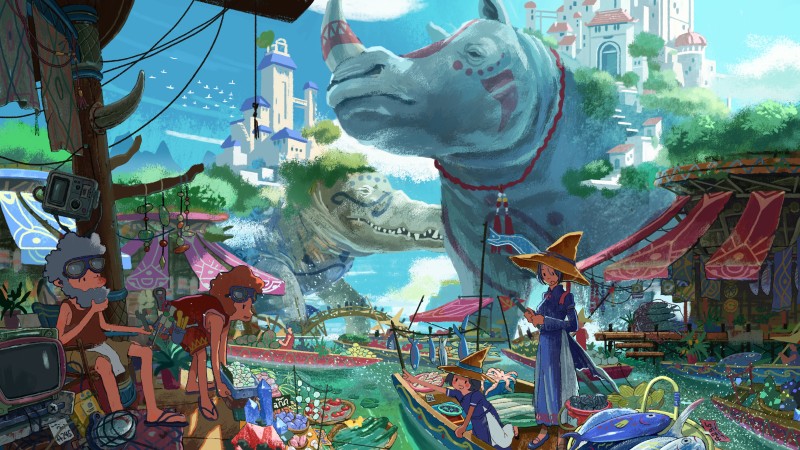
Space Exhibition : 48 spaces x 2 worlds | 4m x 4m x 5m
This world will only contain Space Exhibitions.
For concept text and keywords, see the World Details page.
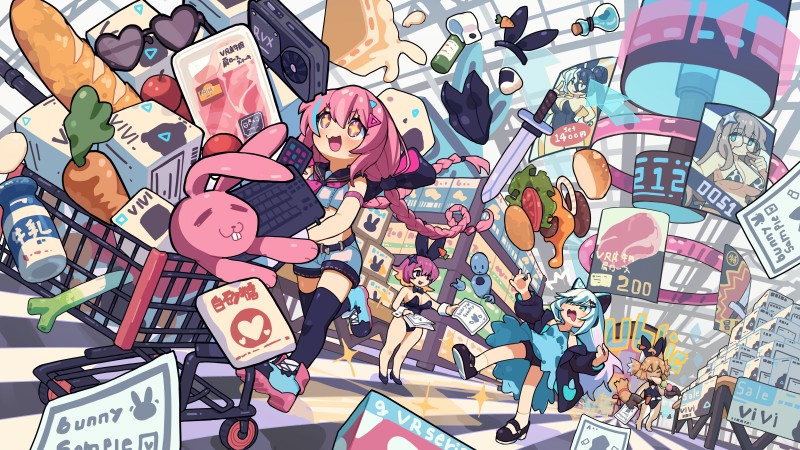
Space Exhibition : 48 spaces x 2 worlds | 4m x 4m x 5m
This world will only contain Space Exhibitions.
- By applying a special component to the exhibited model, the model can join the item roster in the shopping gamemode!
We cannot wait to see your creative exhibits!
- *When submitting using the Vket Booth Maker, the special components mentioned above are not supported.
For concept text and keywords, see the World Details page.

Space Exhibition : 40 spaces x 2 worlds | 4m x 4m x 5m
Item Exhibition : 24 spaces x 2 worlds | 1m x 1m x 2m
This world contains 2 types of exhibitions: space exhibitions and item exhibitions.
- For Item Exhibition, exhibitors will display their items on a pedestal template matching the world's art style.
- By applying a special component to the exhibited model, the model can become ridable for in-venue races!
We cannot wait to see your creative exhibits on this venue!- *When submitting using the Vket Booth Maker, the special components mentioned above are not supported.
- This venue is a "revival venue" from previous Vket events. World design and asset positions may be altered from original.
For concept text and keywords, see the World Details page.
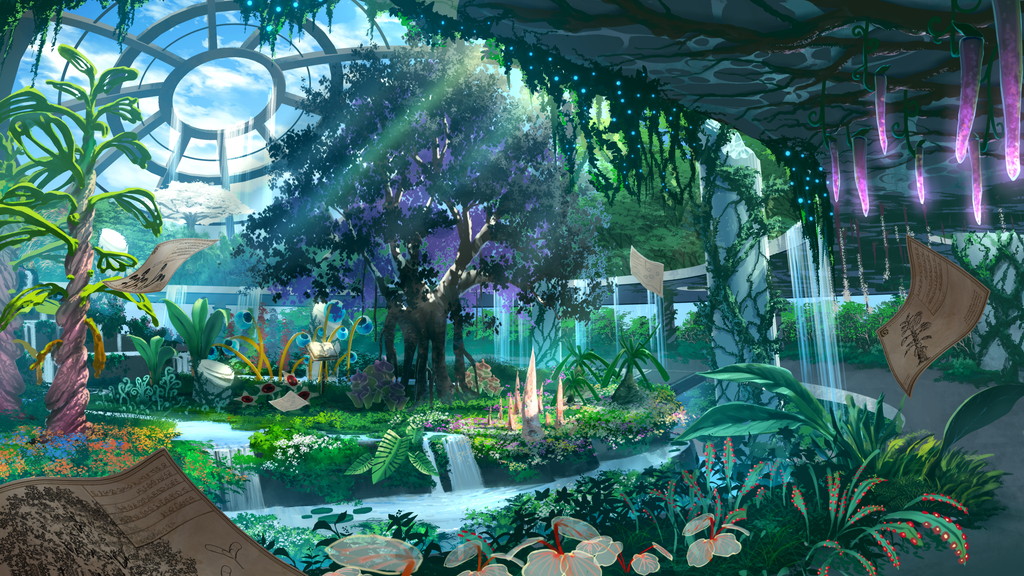
Space Exhibition : 40 spaces x 2 worlds | 4m x 4m x 5m
Item Exhibition : 24 spaces x 2 worlds | 1m x 1m x 2m
This world contains 2 types of exhibitions: space exhibitions and item exhibitions.
- For Item Exhibition, exhibitors will display their items on a pedestal template matching the world's art style.
- This venue is a "revival venue" from previous Vket events. World design and asset positions may be altered from original.
For concept text and keywords, see the World Details page.
Cross-Platform worlds are worlds able to be accessed on standalone VR headsets and Android devices supported by VRChat.
For Cross-Platform venues on this event, we aim to create an optimal Avatar shopping experience on standalone devices (e.g. Quest) by making full use of Avatar try-on features (pedestals)!
- This Avatar Exhibition focuses specifically on the Avatar Marketplace.Visitors can purchase avatars directly within VRChat and start using them immediately after purchase.
- Visitors can open Avatar Marketplace products directly in-world.
- For more details about the Avatar Marketplace, please refer to the following:
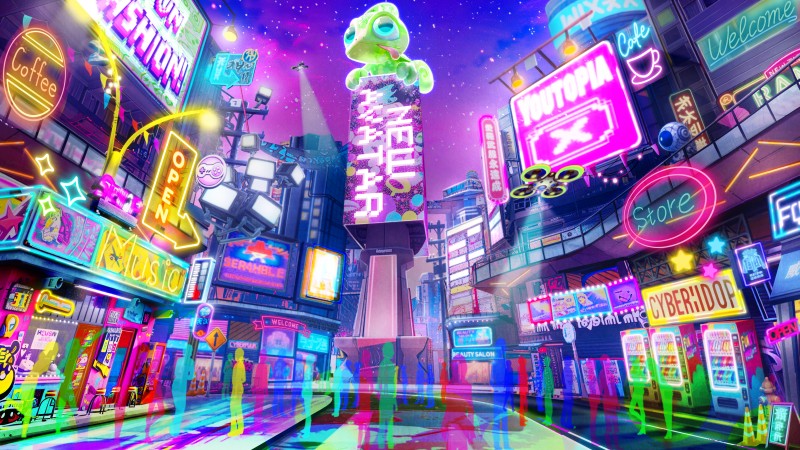
Avatar Exhibition : 25 spaces x 2 worlds | 2m x 2m x 3m
This world will only contain Avatar Exhibitions.
- Important Notes Regarding the Avatar Exhibition
- Avatars submitted for exhibition must be cross-platform compatible.
- If a non-cross-platform avatar is submitted, it may be removed.
- Those who have already registered their avatar in the Avatar Marketplace will receive top priority in the lottery.
- Please check the option "Sell on Avatar Marketplace" when applying for the lottery, and then enter your Listing ID.
- The entered Listing ID will only be used for the lottery. During submission, you can register a Listing ID again, specify a different product bundle, or exhibit a different avatar.
- Furthermore, applicants whose avatars are still pending review on the Avatar Marketplace will also receive priority.
- When applying for the lottery, you may complete your exhibition application after checking "Sell on Avatar Marketplace" even if the Listing ID field is left blank.
- However, please make sure to enter your Listing ID by 23:59:59 on September 29 JST.
- First-round winners must enter their Listing ID on time, otherwise their entry will move to the second lottery. Please note this in advance.
- For instructions on obtaining a Listing ID, please refer to the following:
- *Please note that registering as a seller and submitting avatars to the Avatar Marketplace requires multiple reviews in VRChat and may take time.
- If you do not plan to register your avatar on the Avatar Marketplace, please do not check "Sell on Avatar Marketplace" when applying for the lottery.
- If you expect that you will not be able to enter your Listing ID within the designated period, we recommend applying for the lottery without checking "Sell on Avatar Marketplace."
For concept text and keywords, see the World Details page.
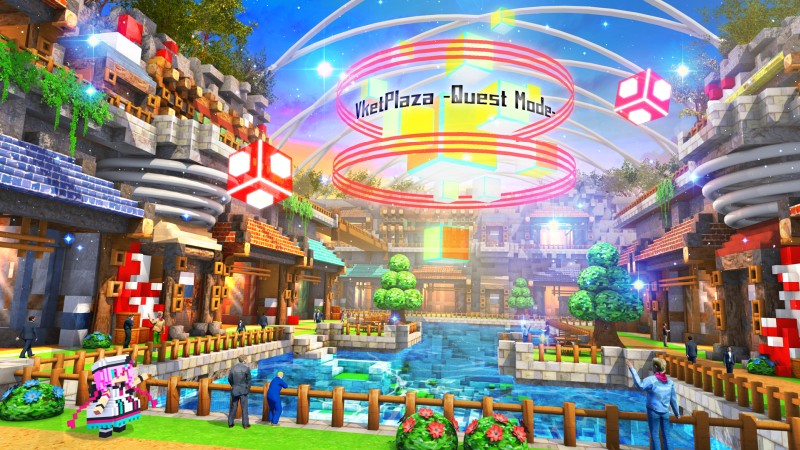
Avatar Exhibition : 25 spaces x 2 worlds | 2m x 2m x 3m
This world will only contain Avatar Exhibitions.
- Important Notes Regarding the Avatar Exhibition
- Avatars submitted for exhibition must be cross-platform compatible.
- If a non-cross-platform avatar is submitted, it may be removed.
- Those who have already registered their avatar in the Avatar Marketplace will receive top priority in the lottery.
- Please check the option "Sell on Avatar Marketplace" when applying for the lottery, and then enter your Listing ID.
- The entered Listing ID will only be used for the lottery. During submission, you can register a Listing ID again, specify a different product bundle, or exhibit a different avatar.
- Applicants with pending avatar registration requests in the Avatar Marketplace will likewise be given priority during the lottery.
- When applying for the lottery, you may complete your exhibition application after checking "Sell on Avatar Marketplace" even if the Listing ID field is left blank.
- However, please make sure to enter your Listing ID by 23:59:59 on September 29 JST.
- First-round winners must enter their Listing ID on time, otherwise their entry will move to the second lottery. Please note this in advance.
- For instructions on obtaining a Listing ID, please refer to the following:
- *Please note that registering as a seller and submitting avatars to the Avatar Marketplace requires multiple reviews in VRChat and may take time.
- If you do not plan to register your avatar on the Avatar Marketplace, please do not check "Sell on Avatar Marketplace" when applying for the lottery.
- If you expect that you will not be able to enter your Listing ID within the designated period, we recommend applying for the lottery without checking "Sell on Avatar Marketplace."
- This venue is a "revival venue" from previous Vket events. World design and asset positions may be altered from original.
For concept text and keywords, see the World Details page.
Virtual Market have seen visitors from all over the world. Therefore, we recommend to add multilingual support for your booth and catalog texts.
For your booth, you may set a Japanese and English switch by using the VketLanguageSwitcher Prefab. Also, you can ask for translation help on the Vket Exhibitor Discord at anytime!
*To join the Vket Exhibitor Discord for translation help, login to the My Page through this website's top page, and select the "Discord" page in the My Page's menu. Select "Join" in the said page to join the Virtual Market / Global Team Discord!
On exhibiting, please make sure to read the Terms and Conditions for Vket Event Exhibition For Individuals for Vket Event Exhibition, especially "Article 2 Exhibitor Qualification" and "Article 3 Requirements for Exhibiting Works", also regulations of VRChat such as Terms of Service, Community Guidelines and Creator Guidelines.
All Virtual Market Exhibits are public contents. For example, the avatars set on the pedestals should not contain animations to become naked.
Please refrain from using effects or displays that involve strong flashing lights or significantly impact visibility, as they may cause health issues such as motion sickness, dizziness, or epileptic seizures for visitors.
In particular, VRChat has specifically announced that they "do not permit promotion, advertising, integration, or solicitation of unauthorized products or services like NFT or blockchain technology in VRChat".
As such, exhibits pertaining to this cannot be exhibited.
- Only the circle owner can upload submissions.
- You may not use Mac for submitting your exhibition. Please use a Windows environment with Unity and VRChat Creator Companion installed.
- Duplicate exhibitions are prohibited. Submitting multiple exhibition applications from the same individual or circle is not allowed.
- Additionally, exhibiting the same content in the same exhibition format or promoting it through multiple circles is not permitted. Even if the circle representatives are different, the same person's work must not be promoted in the same exhibition format across multiple circles.
- If the number of applications exceeds the maximum number of spaces in each world, an allocation lottery will be held.
- Please refer to the Submission Rules for the material count and file size limitations.
- The exhibition worlds are going to be published again after the end of the event period. It is recommended that the Blueprint ID of the avatar pedestals should be set to be the trial version.