Exhibition Guidelines
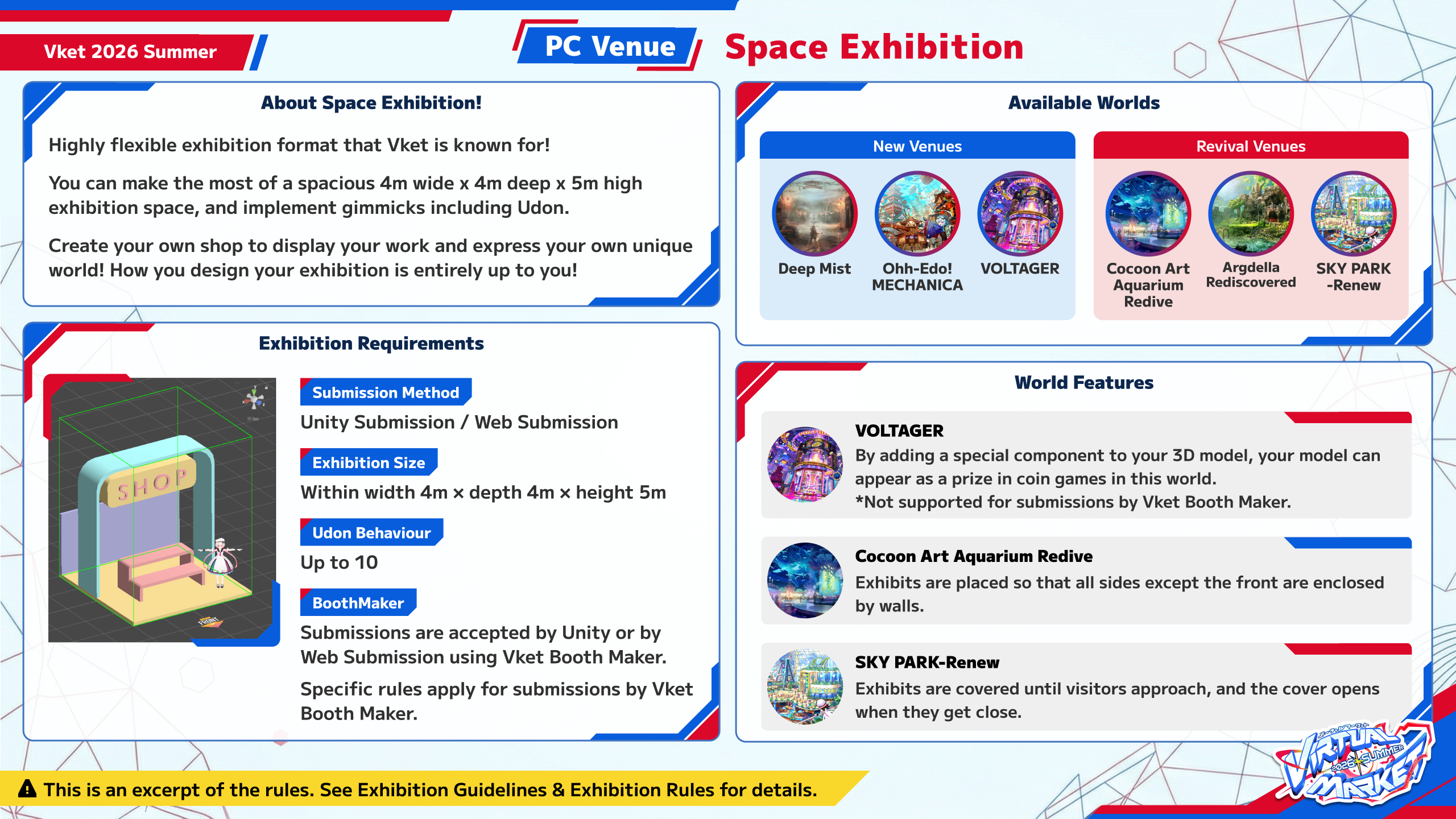
| Space Exhibition | |
|---|
| Exhibition fee | JPY 3,300 (Tax Included) |
| Available Spaces | 610 spaces |
| Submission Method | Unity Submission(VketTools), Web Submission (Vket Booth Maker) |
| Exhibition Application Period | March 6, 2026 (Fri) JST - March 19, 2026 (Thu) JST |
| Notes | You're free to create a exhibit in your own style in the allocated space.
You can create and submit your exhibit with Unity, or by using Vket Booth Maker in a web browser. |
Space Exhibition
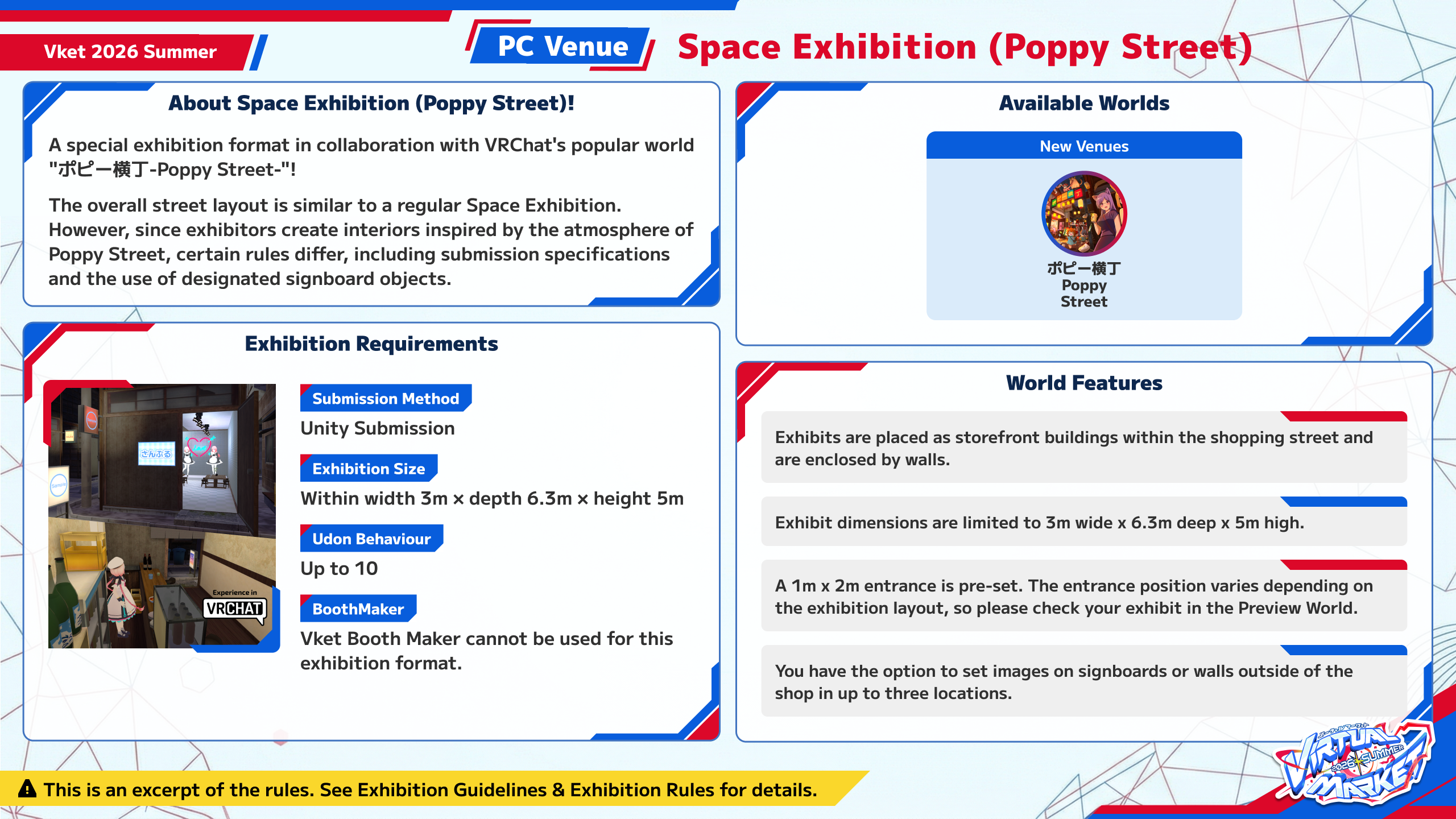
(Poppy Street) | |
|---|
| Exhibition fee | JPY 3,300 (Tax Included) |
| Available Spaces | 40 spaces |
| Submission Method | Unity Submission(VketTools) |
| Exhibition Application Period | March 6, 2026 (Fri) JST - March 19, 2026 (Thu) JST |
| Notes | You're free to create a exhibit in your own style in the allocated space.
The overall street layout is similar to a regular Space Exhibition. However, since exhibitors create interiors inspired by the atmosphere of Poppy Street, certain rules differ, including submission specifications and the use of designated signboard objects. |
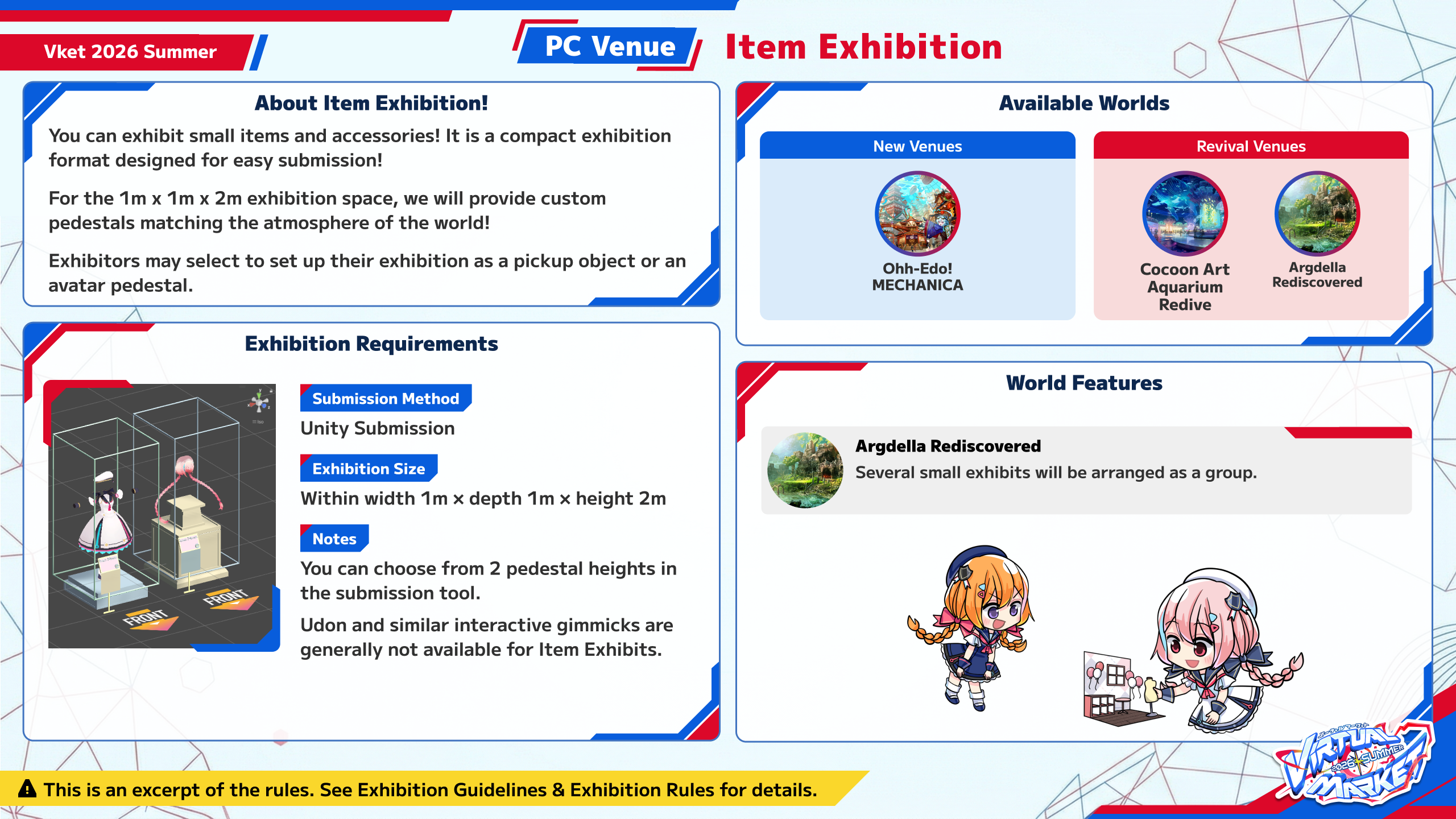
| Item Exhibition | |
|---|
| Exhibition fee | JPY 1,100 (Tax Included) |
| Available Spaces | 132 spaces |
| Submission Method | Unity Submission(VketTools) |
| Exhibition Application Period | March 6, 2026 (Fri) JST - March 19, 2026 (Thu) JST |
| Notes | It is a compact exhibition format designed for easy submission! Even one item can be submitted. Exhibits displays are designed to match the atmosphere of the world.
For Item Exhibitions, you can select a pedestal template to display avatars, accessories, etc. |
| Avatar Exhibition | |
|---|
| Exhibition fee | Free |
| Available Spaces | 75 spaces |
| Submission Method | Unity Submission(VketTools) |
| Exhibition Application Period | March 6, 2026 (Fri) JST - March 19, 2026 (Thu) JST |
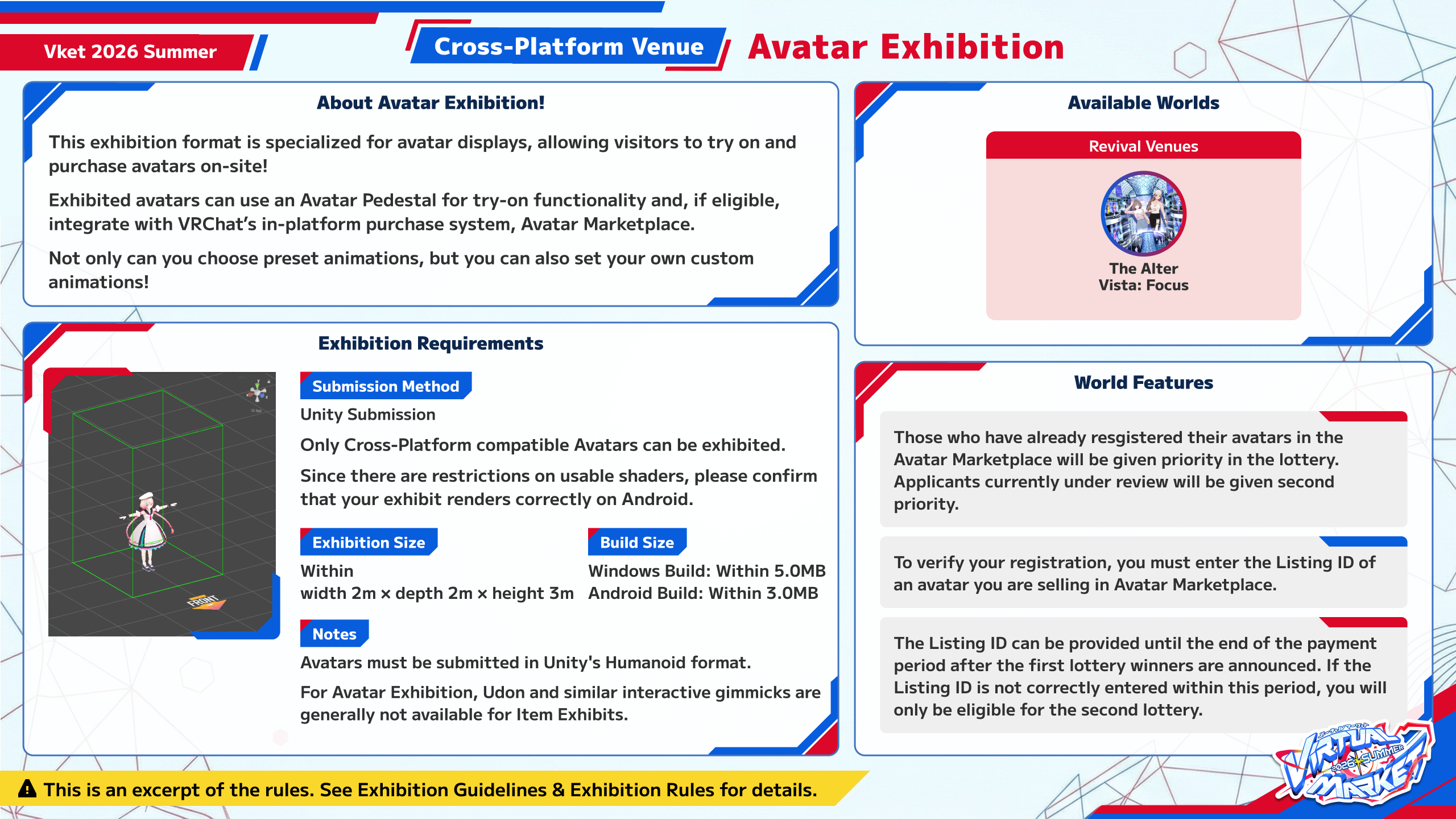
| Notes | Avatar Exhibitions put the spotlight on Avatar Marketplace! The main feature is visitors can try on cross-platform compatible avatars on the spot.
You can exhibit cross-platform compatible avatars that are sold or distributed via Avatar Marketplace or other services.
If you exhibit models sold on the Avatar Marketplace, the Listing ID registered in Avatar Products is required. |
| Notes | The Avatar Exhibition is specialized for those who sell or distribute avatars on VRChat's Avatar Marketplace or other services.
At the time of application, please select the sales/distribution service you use.
If you do not plan to register your avatar on the Avatar Marketplace, please do not check "Sell on Avatar Marketplace" when applying for the lottery. |
- For Virtual Market 2026 Summer, you can apply for up to 3 choices.
- Please pay the exhibition fee within the payment period after the lottery results are announced.
- The exhibition fee can be paid by PayPal or credit card.
- If the exhibition fee is not paid by the deadline, the winning lottery result will be cancelled.
- The exhibition fee is only required if you are chosen as a winner in the lottery.
- Payment will not be processed if you are not chosen in the lottery.
- In general, refunds will not be provided if you cancel your exhibition after payment has been processed on a winning result.
- Please also refer to the following FAQ.
- PhysBone related components are now available in Space and Item Exhibitions
- *PhysBone components also remain available for Avatar Exhibitions, same as previous events.
Improved Video Player Prefab for Space ExhibitionsThe video player Prefab has been improved, reducing playback issues.- [4/24 Update] The improved video player prefab announced in this section will not be implemented for Vket 2026 Summer. The VketVideoPlayer will have the same specifications as Vket 2025 Winter.
- The rules and exhibition format for Avatar Exhibitions have been significantly updated
- It is now possible to enter both the Listing ID for the Avatar Marketplace sales page and the Blueprint ID for trial avatar pedestals at the same time. Entering both will place both in the world.
- Changes to Lighting Settings
- The lighting settings to illuminate exhibits has been slightly changed. Exhibitors who wish to customize the lighting should check the updated rules.
- Space Exhibition Changes to AudioSource Rules
- There are changes to the rules regarding AudioSource. If you have used AudioSource in the past, please review the new rules carefully.
Please see the Submission Rules for details.
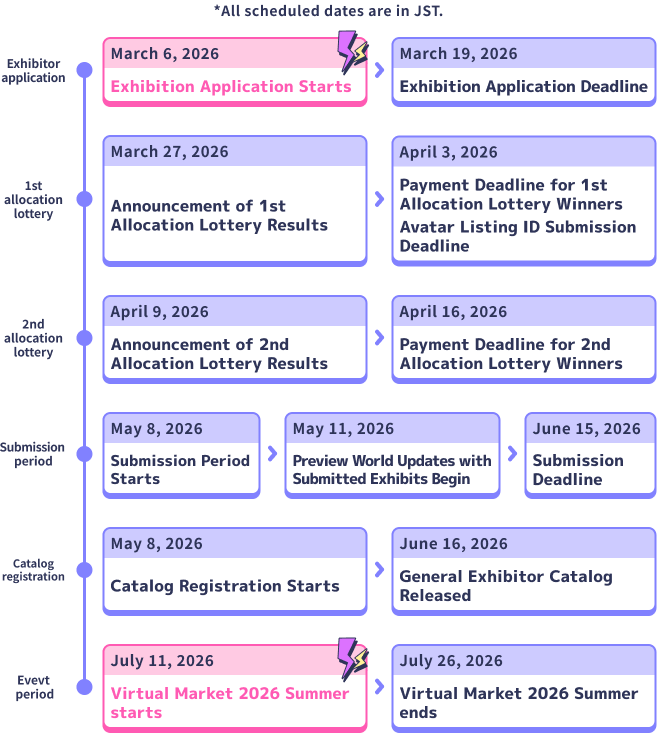
| Date | Time | Event |
|---|
| March 6, 2026 (Fri) JST | 1:30 am UTC / 10:30 am JST / March 5, 8:30 pm EST | Application starts |
| March 19, 2026 (Thu) JST | 2:59 pm UTC / 11:59 pm JST / 10:59 am EDT | Application deadline |
| March 27, 2026 (Fri) JST | 6:00 pm JST | Announcement of 1st allocation lottery results |
| April 9, 2026 (Thu) JST | 6:00 pm JST | Announcement of 2nd allocation lottery results |
| May 8, 2026 (Fri) JST | 3:00 am UTC / 12:00 pm JST / May 7, 11:00 pm EDT | Submission Period starts |
| June 15, 2026 (Mon) JST | 2:59 pm UTC / 11:59 pm JST / 10:59 am EDT | Submission deadline |
| June 16, 2026 (Tue) JST | 12:00 pm JST | Catalog Release |
| July 11, 2026 (Sat) JST | 10:00 am JST | Virtual Market 2026 Summer starts |
| July 26, 2026 (Sun) JST | 11:00 pm JST | Virtual Market 2026 Summer ends |
- Even if you are not selected in the first allocation lottery on March 27 (Fri) JST, you may still be selected in the second allocation lottery on April 9 (Thu) JST.
- The Preview World will be updated periodically during the Submission Period, so you can preview and update your submission.
It is strongly recommended to submit your space multiple times during the Submission Period. You can visit the Preview World to check the exhibit's appearance, lighting, gimmick behavior, etc. and update before the event starts.
The world design and the space design complement each other to create a beautiful world!
The theme for Virtual Market 2026 Summer is...
- Ignition Point -
Ignite the will to create. The origin where the passion to begin a new world is set ablaze.
PC venues will have 16 worlds with 7 concepts, and Cross-Platform venues will have 3 worlds with 1 concept, for a total of 19 worlds.
PC venues are accessible via the PC version of VRChat in VR mode or desktop mode.
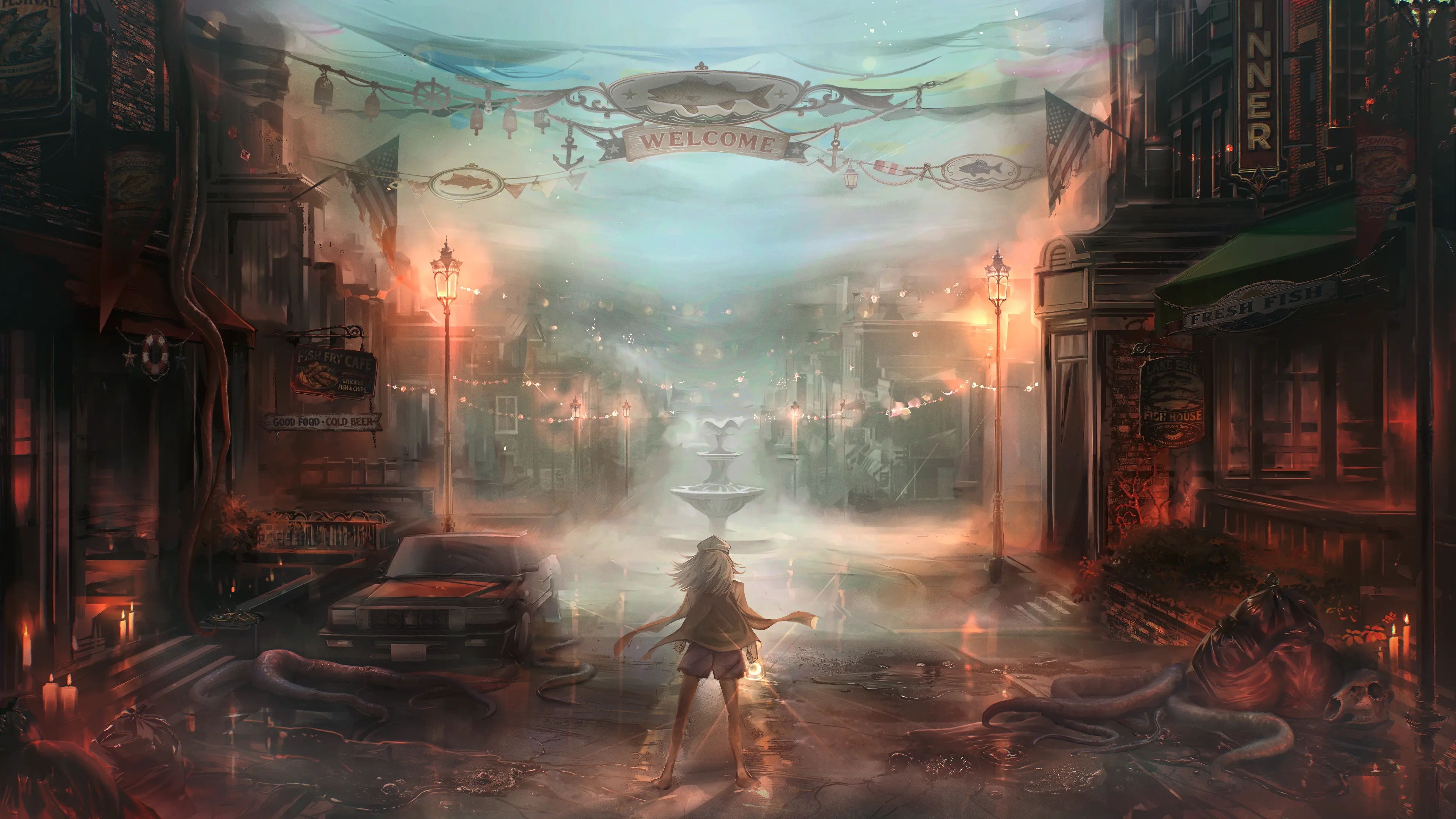
Space Exhibition : 48 spaces x 2 worlds | 4m x 4m x 5m
This world will only contain Space Exhibitions.
For concept text and keywords, see the World Details page.
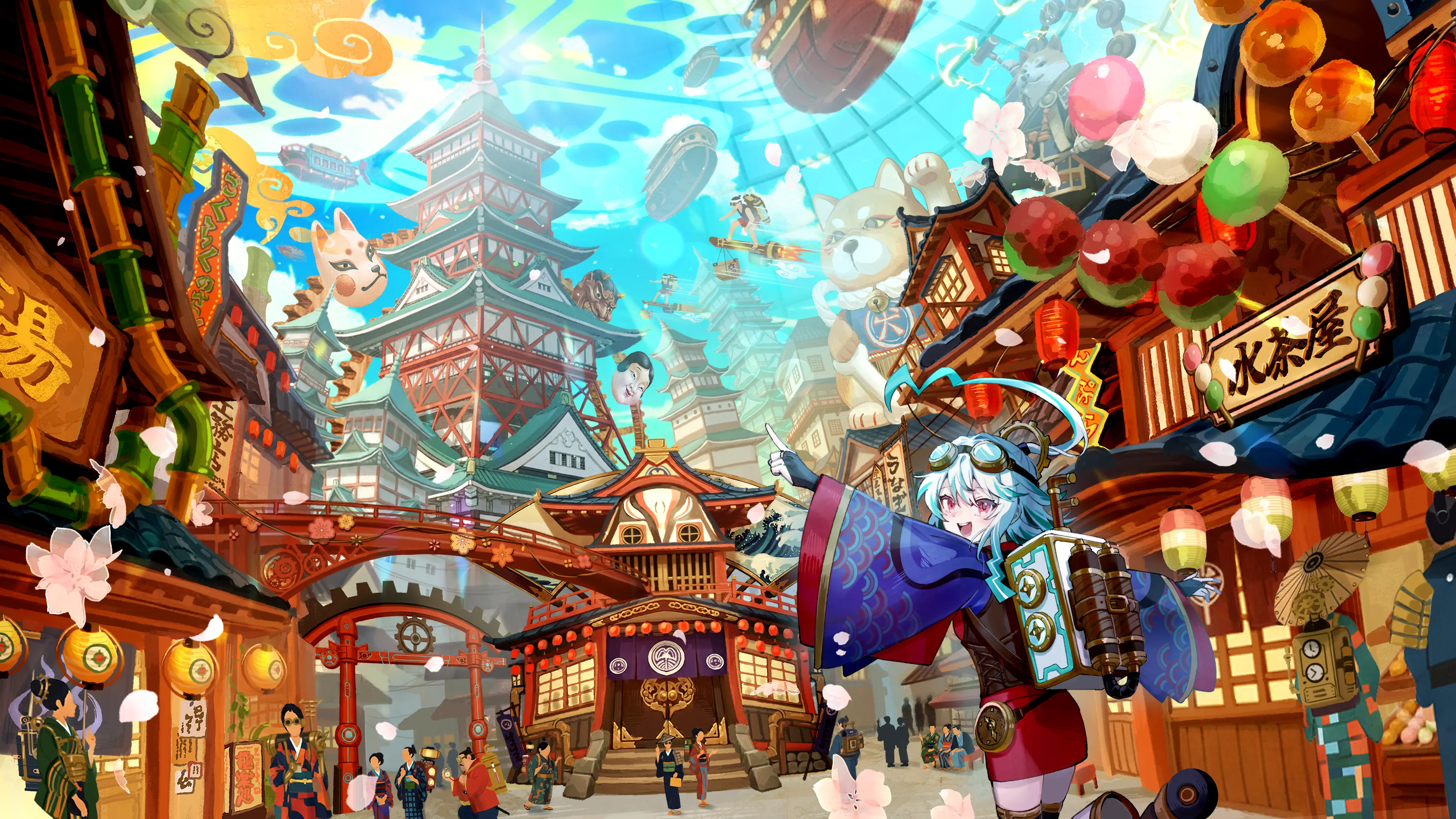
Space Exhibition : 40 spaces x 2 worlds | 4m x 4m x 5m
Item Exhibition : 24 spaces x 2 worlds | 1m x 1m x 2m
This world contains 2 types of exhibitions: Space Exhibitions and Item Exhibitions.
- For Item Exhibitions, items are displayed on a pedestal template unique to this world.
For concept text and keywords, see the World Details page.
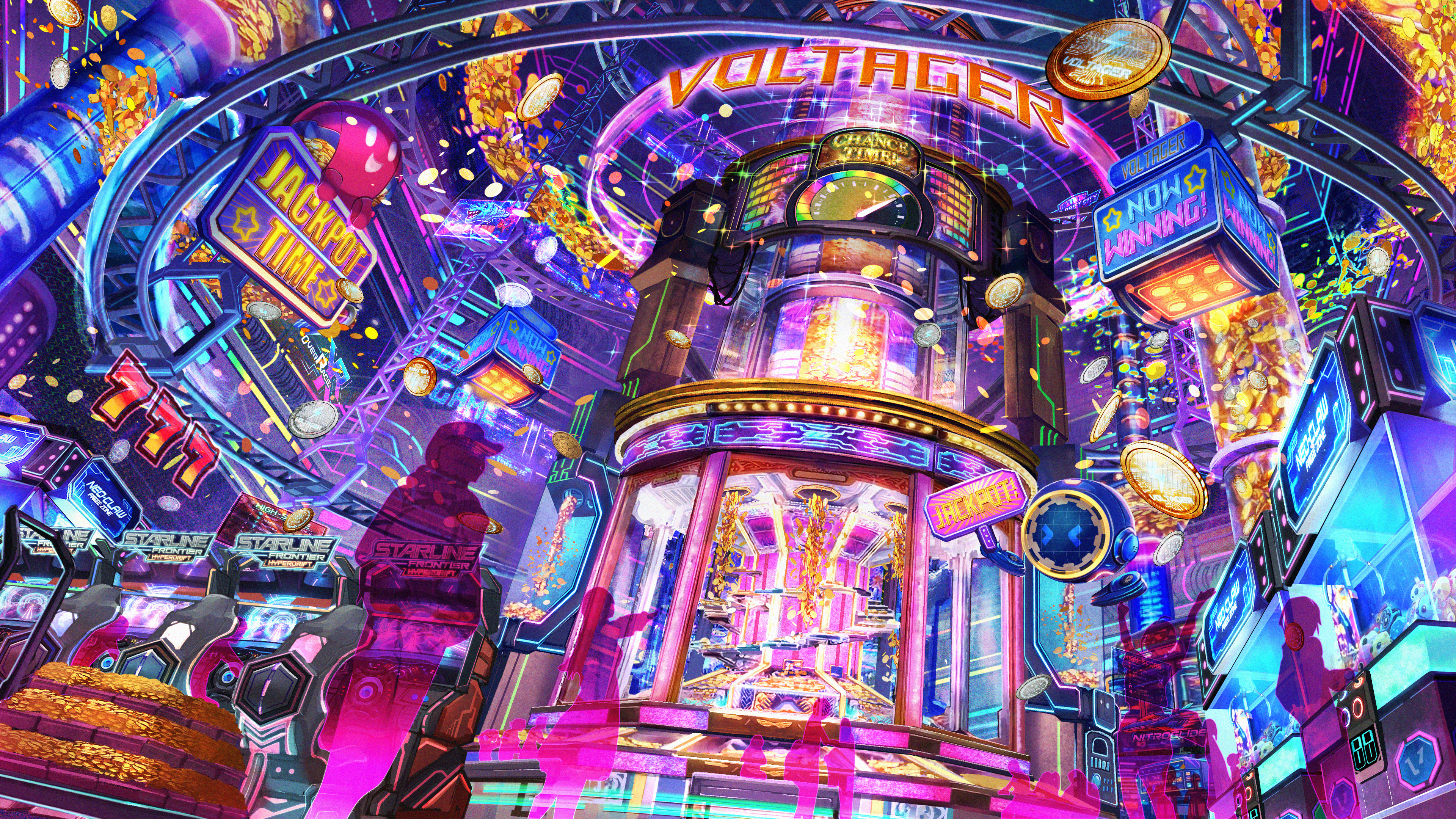
Space Exhibition : 48 spaces x 3 worlds | 4m x 4m x 5m
This world will only contain Space Exhibitions.
- In-World Experience
By adding a special component distributed by Vket, your exhibit can appear as a prize in coin games in this world. Please note that not all exhibits will be selected due to the nature of the experience.
The exhibit only appears as a prize as a part of the in-world game experience, and visitors will not be allowed to download the model data.
Within this world, visitors can earn coins to play in-world coin games by trying on avatars at pedestals or using external links (web browser launch) at Space Exhibitions.
For concept text and keywords, see the World Details page.
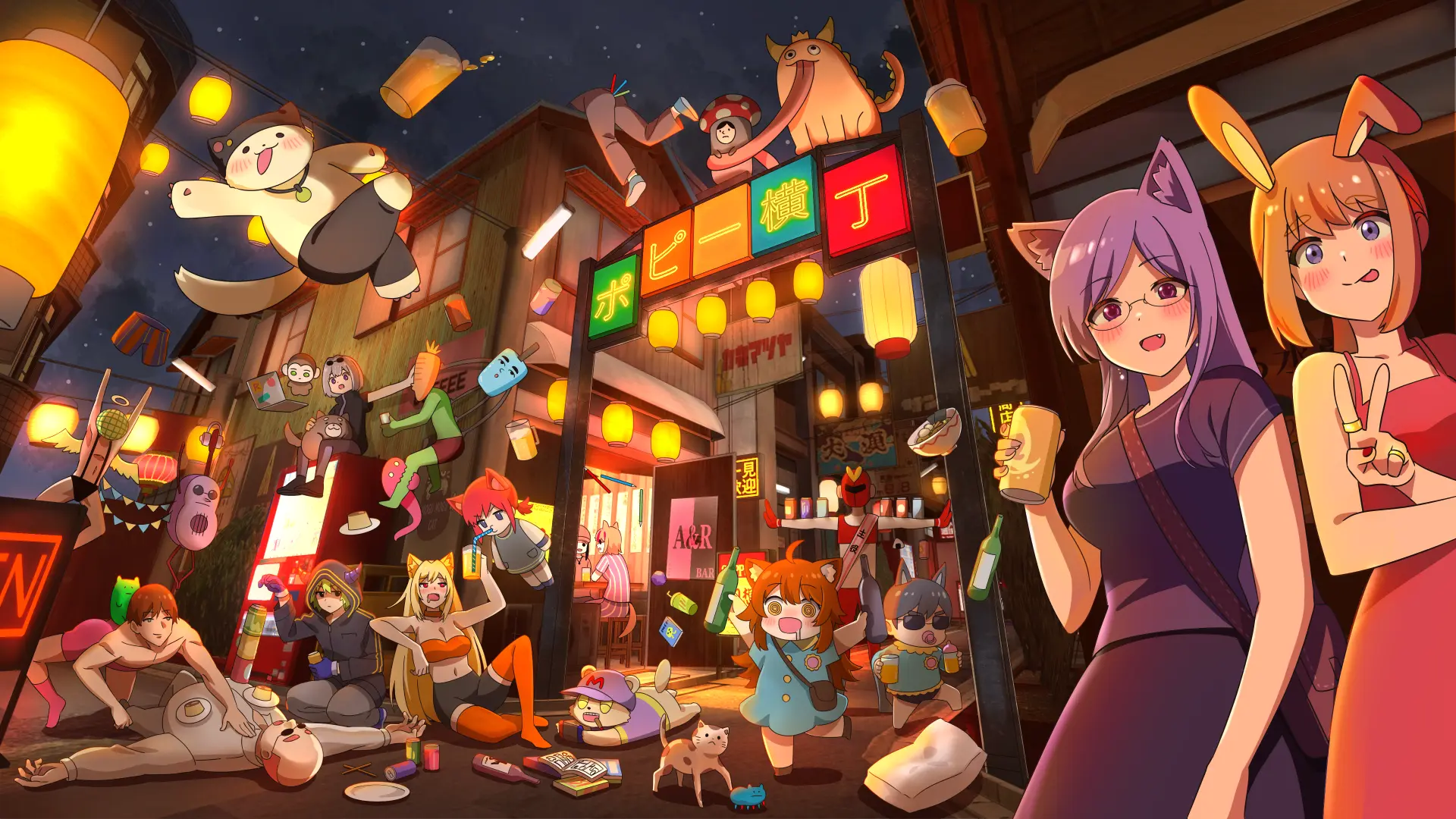
Space Exhibition : 20 spaces x 2 worlds | 3m x 6.3m x 5m
This world will only contain Space Exhibitions.
- Exhibits are placed as storefront buildings within the shopping street and are enclosed with walls.
- A 1m x 2m entrance is pre-set. The entrance position varies depending on the exhibition layout, so please check your exhibit in the Preview World.
- Up to 3 signboard images can be set on the signboards or walls outside the house.
For concept text and keywords, see the World Details page.
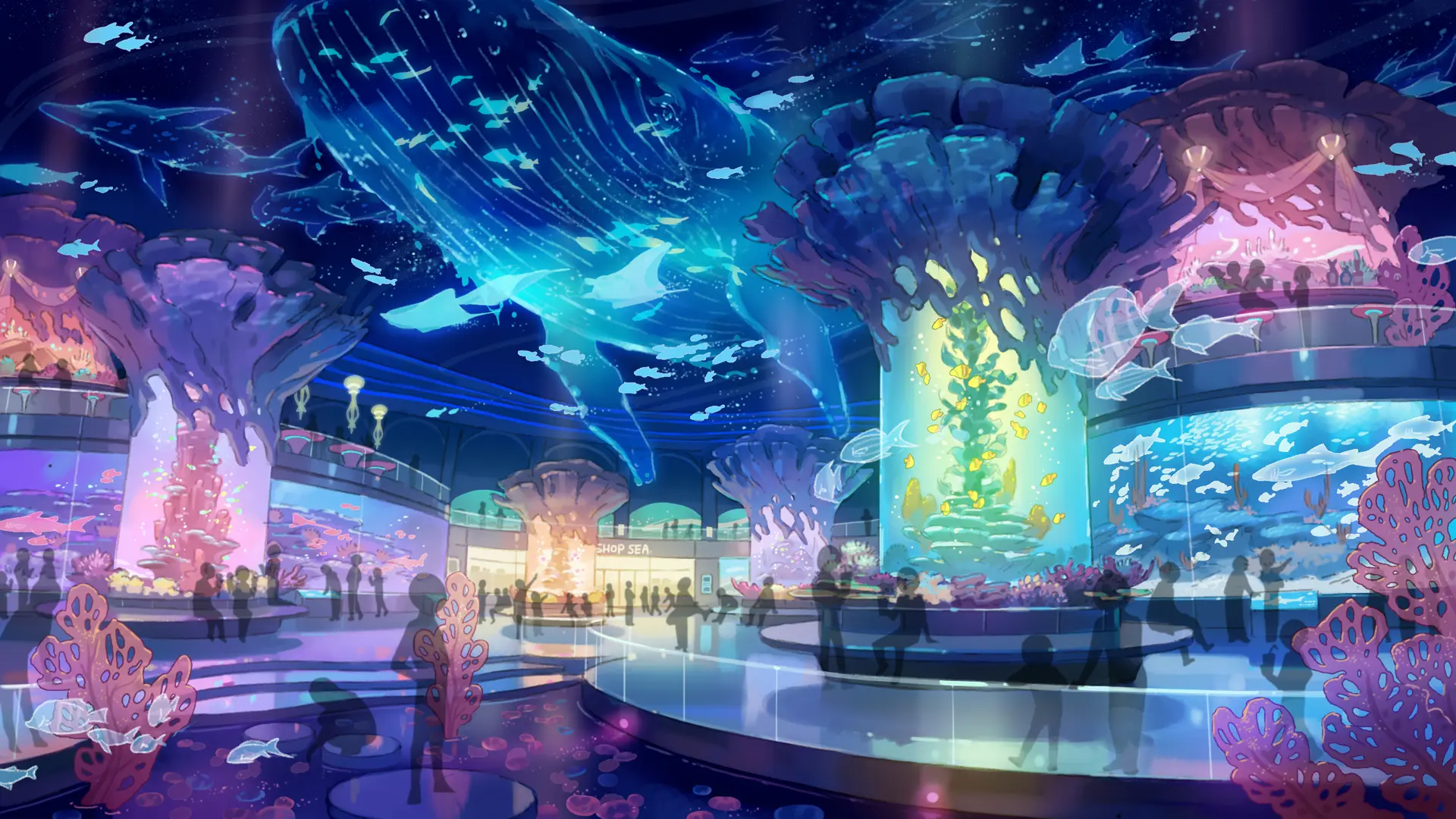
Space Exhibition : 38 spaces x 3 worlds | 4m x 4m x 5m
Item Exhibition : 12 spaces x 3 worlds | 1m x 1m x 2m
This world contains 2 types of exhibitions: Space Exhibitions and Item Exhibitions.
- For Item Exhibitions, items are displayed on a pedestal template unique to this world.
- Booth Frame
The space has exterior walls covering all sides except the front. - Revival venue
- This venue was previously released in Vket 2023 Summer. World design and asset positions may be altered from original.
For concept text and keywords, see the World Details page.
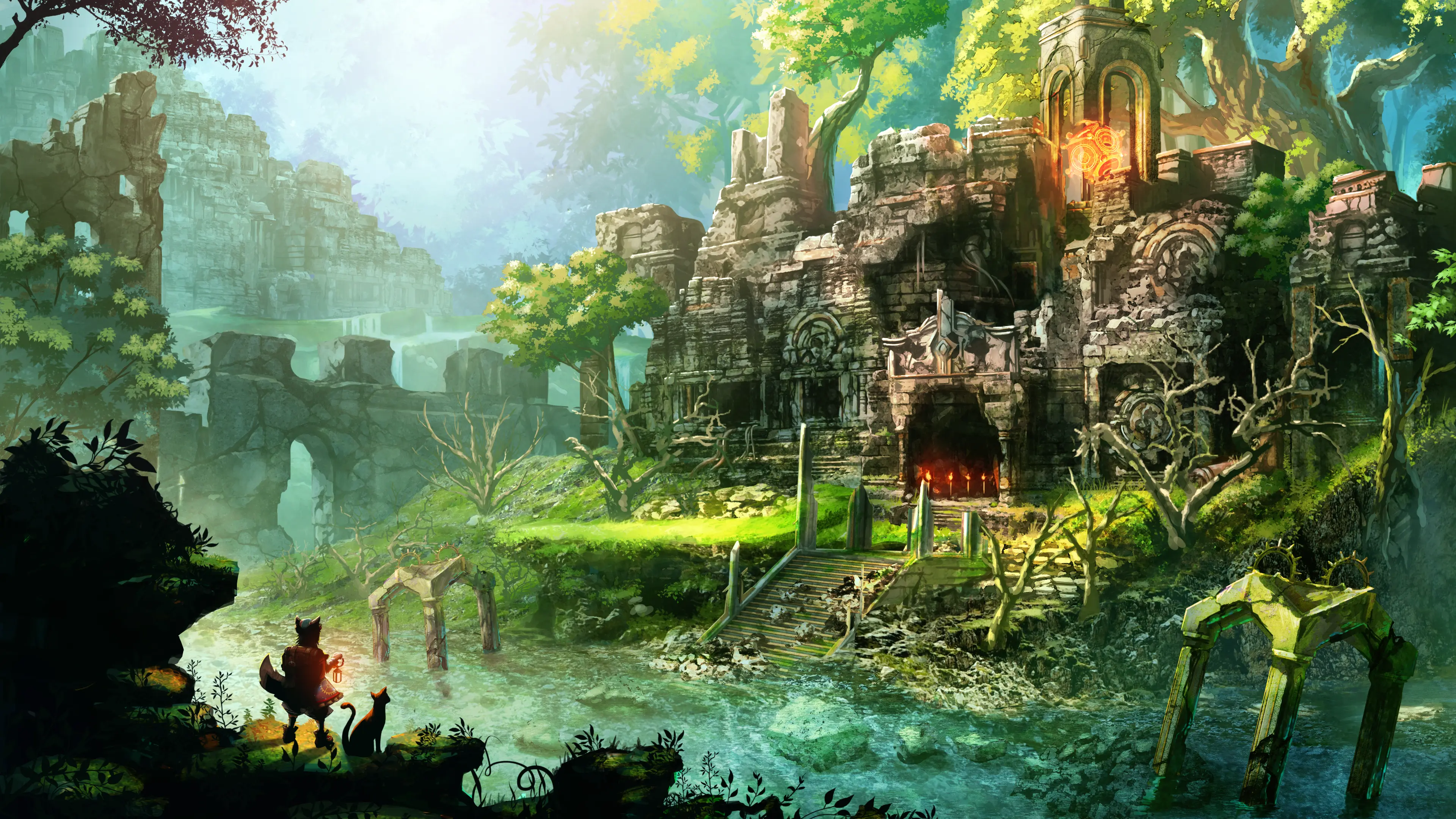
Space Exhibition : 40 spaces x 2 worlds | 4m x 4m x 5m
Item Exhibition : 24 spaces x 2 worlds | 1m x 1m x 2m
This world contains 2 types of exhibitions: Space Exhibitions and Item Exhibitions.
- For Item Exhibitions, items are displayed on a pedestal template unique to this world.
- For Item Exhibitions, several exhibits will be displayed together.
- Revival venue
- This venue was previously released in Vket 2024 Winter. World design and asset positions may be altered from original.
For concept text and keywords, see the World Details page.
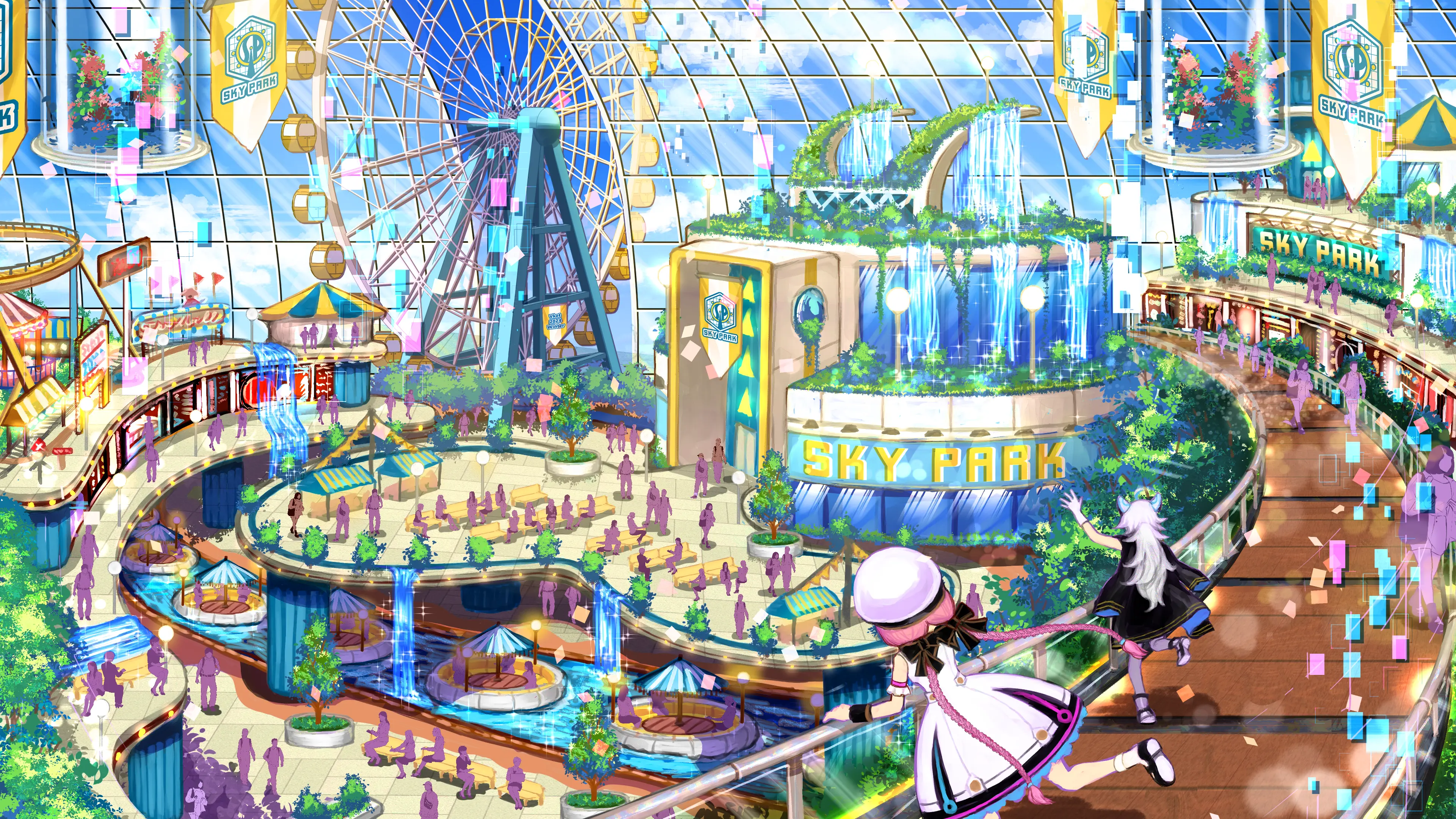
Space Exhibition : 48 spaces x 2 worlds | 4m x 4m x 5m
This world will only contain Space Exhibitions.
- Covered exterior
- Exhibits are covered until visitors approach, and the cover opens when they get close.
- Returning venue
- This venue was previously released in Vket 2024 Winter. There may be changes to the world design and exhibit layout.
For concept text and keywords, see the World Details page.
Cross-Platform venues are VRChat venues that can be enjoyed on VR headsets and Android devices compatible with VRChat.
Cross-Platform venues utilize VRChat's Avatar Marketplace, so visitors can get the avatars that grab their attention!
- This Avatar Exhibition focuses specifically on the Avatar Marketplace. Visitors can purchase avatars directly within VRChat and start using them immediately after purchase.
- Visitors can open Avatar Marketplace products directly in-world.
- For more details about the Avatar Marketplace, please refer to the following:
Avatar Exhibition : 25 spaces x 3 worlds | 2m x 2m x 3m
This world will only contain Avatar Exhibitions.
- Important Notes Regarding the Avatar Exhibition
- Avatars submitted for exhibition must be Cross-Platform compatible.
- If the avatar is not Cross-Platform compatible, it may be removed.
- Those who have already registered an avatar on Avatar Marketplace will be given priority in the lottery.
- Please check "Sell on Avatar Marketplace" when applying for the lottery, and then enter your Listing ID.
- *The entered Listing ID will only be used for the lottery. You can register a different Listing ID during submission for your actual exhibit. You can specify a different product or bundle, or you can exhibit a different avatar.
- Those who have Avatar Marketplace applications that are currently under review will be given second priority.
- When applying for the lottery, please check "Sell on Avatar Marketplace" and leave the Listing ID blank.
- However, please make sure to enter your Listing ID by 23:59:59 on April 3 (Fri) JST.
- Please note, winners in the first lottery must enter the Listing ID by the deadline. Otherwise, the first lottery result will be cancelled, and your application will be moved to the second lottery.
- For instructions on obtaining a Listing ID, please refer to the following:
- *Please note that registering as a seller and submitting avatars to the Avatar Marketplace requires multiple reviews in VRChat and may take time.
- If you do not plan to register your avatar on the Avatar Marketplace, please do not check "Sell on Avatar Marketplace" when applying for the lottery.
- If you expect that you will not be able to enter your Listing ID by the deadline, we recommend that you do not check "Sell on Avatar Marketplace" when applying for the lottery.
- This venue is a "revival venue" from previous Vket events. World design and asset positions may be altered from original.
For concept text and keywords, see the World Details page.
Visitors to Virtual Market come from all over the world, with approximately half from Japan. We recommend adding multilingual support for your exhibit and catalog entry, such as English and Japanese.
You can support two languages using the official VketLanguageSwitcher Prefab. Also, you can ask for help with translation in the Vket Exhibitor Discord anytime!
*To join the Vket Exhibitor Discord, please refer to the Discord page.
If you wish to exhibit at the event, please read the Terms and Conditions for Vket Event Exhibition For Individuals carefully, especially "Article 2 Exhibitor Qualification" and "Article 3 Requirements for Exhibiting Works". Please also check the VRChat regulations such as the Terms of Service, Community Guidelines, and Creator Guidelines.
All Virtual Market Exhibits are public and can be seen by many people. For example, avatars set on the pedestals are not permitted to appear nude due to animations, etc.
Please refrain from using effects or displays that involve strong flashing lights or other displays that significantly affect vision, as this may create health issues, such as motion sickness, dizziness, or epileptic seizures.
VRChat has specifically announced that they "do not permit promotion, advertising, integration, or solicitation of unauthorized products or services like NFT or blockchain technology in VRChat".
As such, exhibits that do not follow this policy are not permitted.
- Only the circle owner can upload submissions.
- You may not use Mac for submitting your exhibition. Please use a Windows environment with Unity and VRChat Creator Companion installed.
- Multiple exhibitions are prohibited. Submitting multiple exhibition applications from the same individual or circle is not allowed.
- Additionally, exhibiting the same content in the same exhibition format or promoting it through multiple circles is not permitted. Even if the circle representatives are different, the same work must not be promoted in the same exhibition format across multiple circles.
- If the number of applications exceeds the maximum number of spaces in each world, an allocation lottery will be held.
- Please refer to the Submission Rules for the material count and file size limitations.
- The exhibition worlds will be open to the public indefinitely after the end of the event period. It is recommended that the Blueprint ID of the avatar pedestals be set to be the trial version.